%20--%3e%3csvg%20version='1.1'%20id='Layer_1'%20xmlns='http://www.w3.org/2000/svg'%20xmlns:xlink='http://www.w3.org/1999/xlink'%20x='0px'%20y='0px'%20viewBox='0%200%20236.2%20238.3'%20style='enable-background:new%200%200%20236.2%20238.3;'%20xml:space='preserve'%3e%3cstyle%20type='text/css'%3e%20.st0{fill:%23FFFFFF;}%20.st1{fill:%23678983;}%20.st2{fill:%2395C4BC;}%20%3c/style%3e%3cpath%20class='st0'%20d='M236,124.2c-0.1-0.2-0.2-0.4-0.4-0.5L236,124.2L236,124.2z'/%3e%3cpath%20class='st1'%20d='M208.3,93c0.7-0.8,1.8-1.1,2.8-1c3.1,0.4,6,1.5,8.6,3.1c2.6,1.5,4.9,3.4,6.9,5.7c1.8,2.1,2.6,3.8,2.5,5%20c-0.1,0.9-0.4,1.7-0.8,2.5c-0.4,0.8-0.9,1.1-1.5,1c-0.7-0.1-1.4-0.4-2.1-0.8c-0.3-0.2-1.2-0.6-2.6-1.4c-1.7-0.9-3.5-1.6-5.3-2.1%20c-2.3-0.7-4.7-1.2-7.2-1.5c-2.4-0.3-3.4-2.1-3-5.4l0.2-1.6C206.9,95.3,207.4,94,208.3,93z'/%3e%3cpath%20class='st2'%20d='M176.6,117.4c-1.7,0.9-3.9,0.3-4.8-1.4c-0.9-1.7-0.3-3.9,1.4-4.8c0,0,0.1-0.1,0.1-0.1%20c6.8-3.5,14.3-5.7,21.9-6.4l6.5-41.1c0.9-5.5,1.7-11.2,0.9-16.7c-0.8-5.6-3.6-11.1-8.6-13.8c-4.9-2.7-10.9-2.2-15.8,0.1%20s-8.9,6.4-12.2,10.8c-20,26.3-19.4,48.4-28.4,94.2h-5.2c0-0.3,0.1-0.6,0.1-0.9l13.1-81.7c1.1-6.7,2.1-13.5,0.9-20.1%20c-1.2-6.6-5.2-13.2-11.5-15.6c-5.7-2.2-12.4-0.6-17.4,3s-8.7,8.7-11.7,14C99.3,48.2,95,60.6,91.8,73.4c0.2-22.7-4.4-40.6-13.8-53.5%20C70.3,9.2,58.5,2.1,45.4,0.4h-0.3C24.5-2.4,5.6,12.1,2.8,32.8s11.7,39.6,32.4,42.3c18.1,2.4,35.4-8.5,40.9-26%20c-0.5-2.1-1.2-4.3-2-6.3c-4.6-11.7-13.8-21.1-25.3-26c-1.8-0.8-2.6-3-1.7-4.7c0.8-1.7,2.8-2.5,4.5-1.8c19,8.1,30.8,25.9,32.7,46.2%20c1.4,14.8,0,30.4-2.1,45c-1.1,7.6-2.6,15.1-4.3,22.6c-0.4,2-6.1,21.7-5.6,22c3.5,1.9,6.9,4.1,10.1,6.6c1.6,1.2,1.8,3.5,0.6,5%20c-1.2,1.6-3.5,1.8-5,0.6l0,0c-23.6-18.3-49.2-15.5-66.9,7.2c-17.4,22.4-14,54.5,7.7,72.8l55.3-20.7c0.6-0.4,1.2-0.9,1.7-1.3%20c5.4-4.8,6.9-12.5,8.1-19.7l17.1-103c0.4-2.2,0.8-4.5,2.2-6.2c1.4-1.7,4.1-2.6,5.9-1.3c1.8,1.3,1.7,4.1,1.4,6.4L95.2,209%20c12.7-3.9,25.2-8.2,37.5-13c3.4-1.3,6.8-2.7,9.3-5.4c3-3.3,3.9-8,4.7-12.4l14.4-83.1c0.2-1.9,0.8-3.8,1.9-5.4%20c1.2-1.5,3.5-2.3,5.1-1.3c1.8,1.2,1.7,3.8,1.5,6l-7.7,60.9c-0.8,6.7-1.7,13.6-0.3,20.2c1.2,5.4,4.1,10.6,8.6,13.6%20c1,0.7,2.2,1.3,3.4,1.7c7.1,2.5,14.9-0.5,21.3-4.4c21.8-13.2,36.9-35.2,41.3-60.3c0-0.2,0.1-0.3,0.1-0.5%20C220.1,110.6,196.2,107.2,176.6,117.4z'/%3e%3c/svg%3e)
Client
Microsoft Copilot, Partnership Design
Role
Product Designer across four partnership workstreams
Timeline
2026
Platform
Copilot (Mobile / Desktop / Browser)
Designing the next layer of AI-to-business integration for Microsoft Copilot
AI COMMERCE · PARTNERSHIP DESIGN · INTERACTION DESIGN · CROSS-PLATFORM
Overview
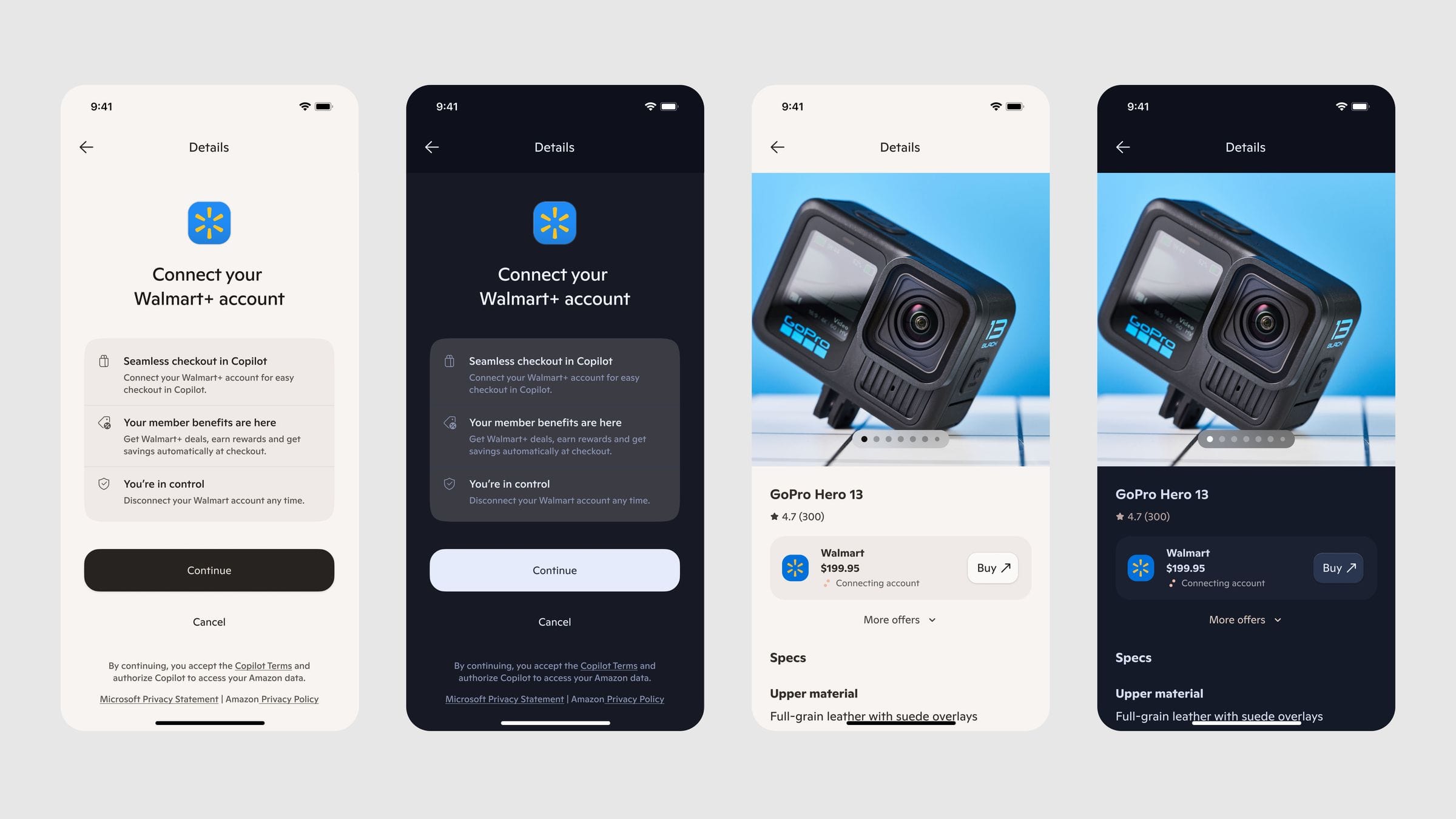
This project explored new AI-to-AI and AI-to-business integration patterns for Microsoft Copilot, pitching bespoke "business connector" flows to four active partnership conversations: Walmart, Amazon, Lyft, and DoorDash.
Unlike the earlier Business Connectors project (focused on loyalty and rewards), this work focused on surfacing each partner's unique product or service value inside Copilot, and explored a new AI-to-AI handoff standard meant to succeed where MCP falls short.
My Role
I worked as a designer across all four partnership pitches, partnering with a dedicated PM per workstream, a VP of Shopping, and a principal design manager who spanned the whole project. My VP personally pitched the Walmart flows directly to Walmart's team.
I owned end-to-end design for the Walmart flow, from research through final screens, and contributed across Amazon, Lyft, and DoorDash.
The Core Problem
Across every partner conversation, the central design question was the same: what unique value can AI actually add, beyond simply being a faster way to open an app the user already has?
A second, cross-cutting challenge: partners are frequently in direct competition with each other (e.g., Uber vs. Lyft), and comparing them side-by-side is best for the user but not necessarily welcomed by the partner being compared unfavorably.

Walmart
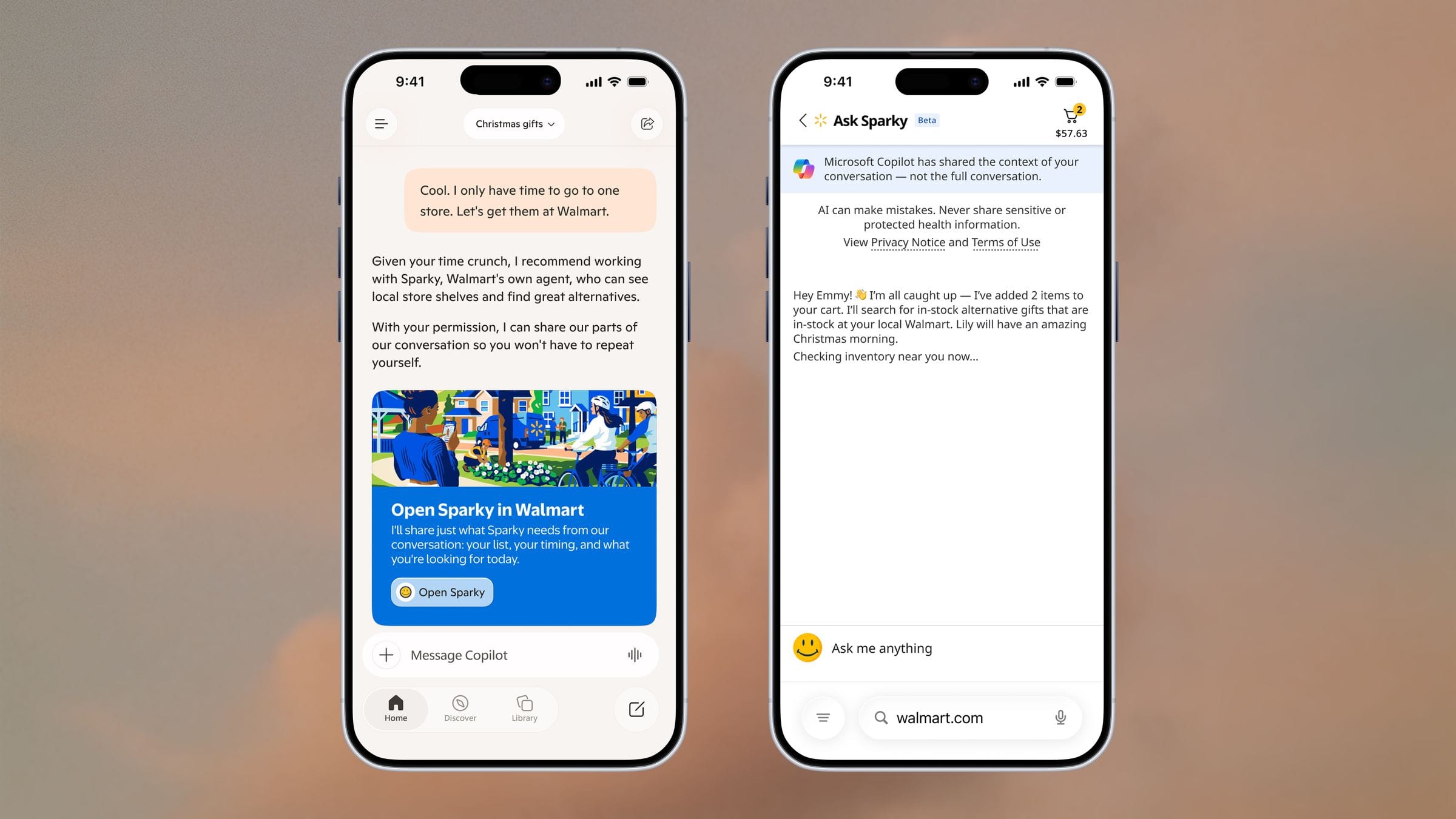
End-to-end product catalog integration, with Copilot handing off a finalized shopping list to Walmart's AI shopping assistant, Sparky.
The Flow
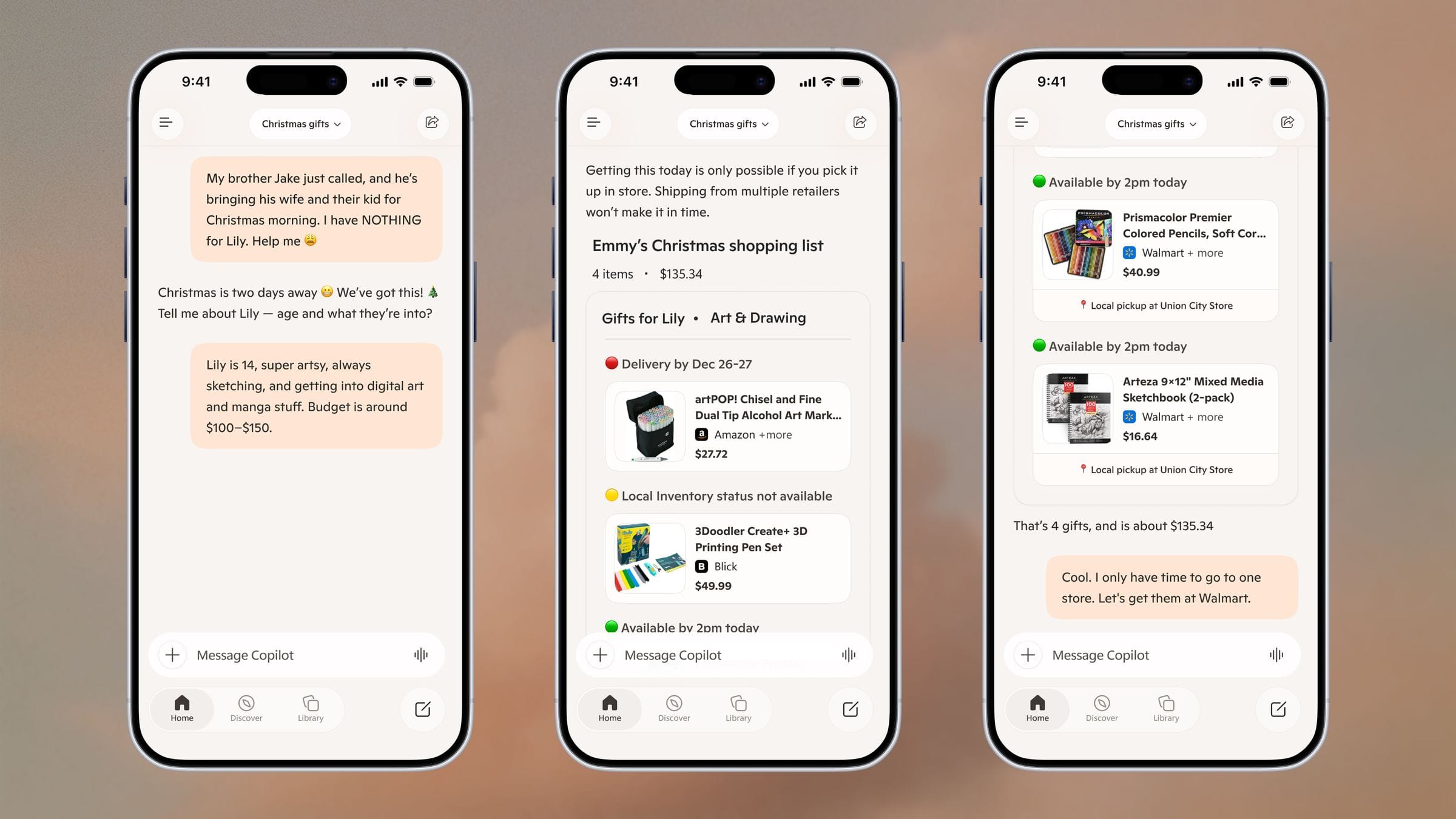
A user opens Copilot with a time-pressured, emotional prompt, "My brother Jake just called, and he's bringing his wife and their kid for Christmas morning. I have NOTHING for Lily. Help me." Copilot asks clarifying questions (age, interests, budget) and builds a gift shortlist. When the user is ready to buy, Copilot surfaces a handoff to Walmart's Sparky to complete the purchase.
Privacy & Consent
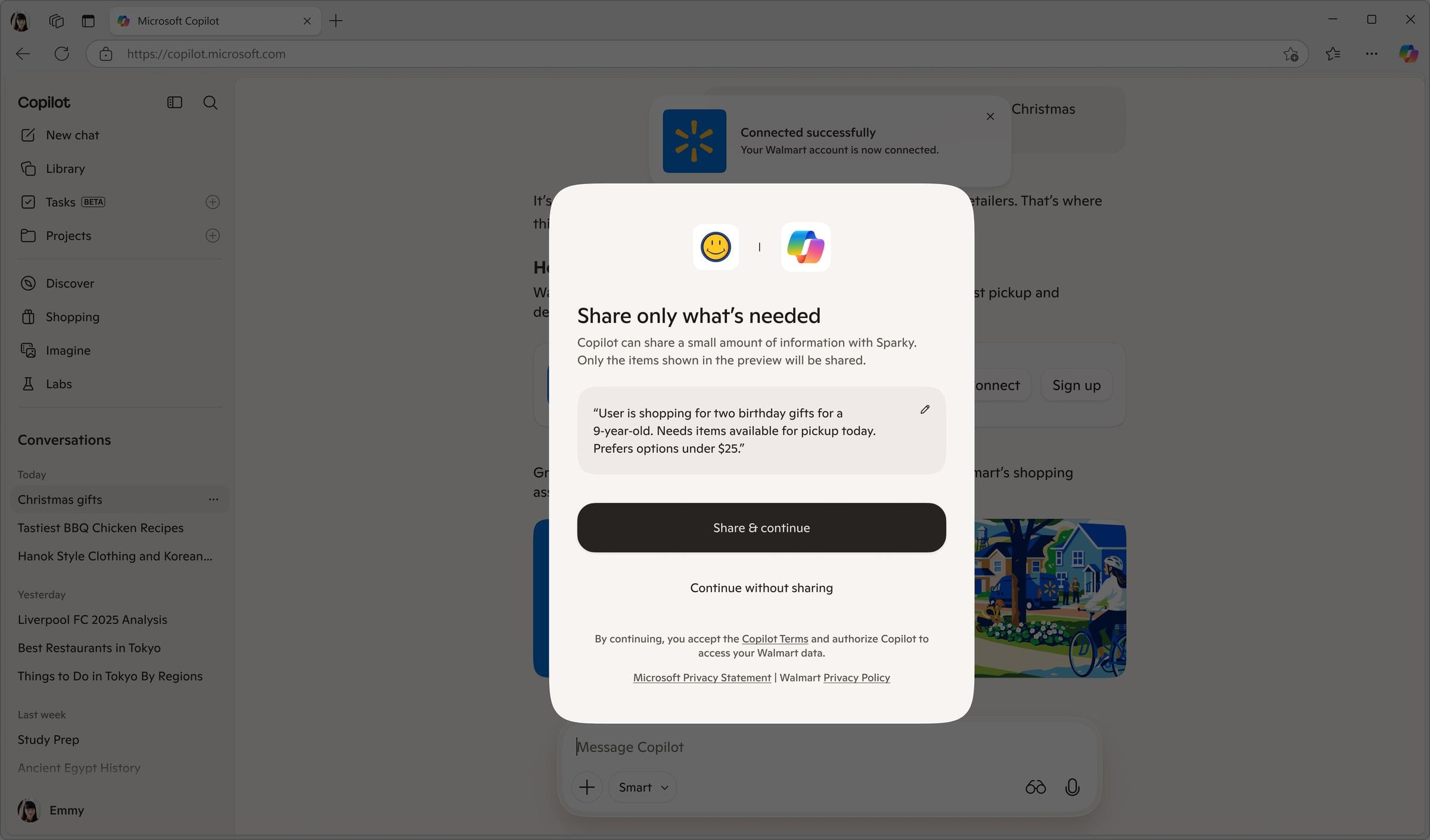
Before handoff, a modal interstitial screen showed the user the exact snippet of text that would be passed to Sparky, for example: "User is shopping for two birthday gifts for a 9-year-old. Needs items available for pickup today. Prefers options under $25." The user could edit this snippet directly before approving, giving explicit control over what AI-to-AI context was shared.
The Handoff & Why Not MCP
For the pitch version shown to Walmart, Copilot passed the conversation directly to Sparky and exited entirely, the user left Copilot and landed in a Walmart-branded Sparky chat. Sparky then handled the rest of the journey independently.
The stated problem with MCP was that it behaves like a "fishbowl", each session is stateless and forgets prior context, limiting true AI-to-AI continuity. The team's early thinking was toward something like a persistent "Copilot Shopping" profile that builds up over time and could travel with the user across partner handoffs, going beyond a single-session payload toward durable, evolving context.

Amazon
Multiple sub-flows exploring different Copilot ↔ Amazon integration patterns, including Alexa handoff, grocery/recipe ordering, a trip-planning research scenario, and cross-surface signal passing.
Alexa Patterns
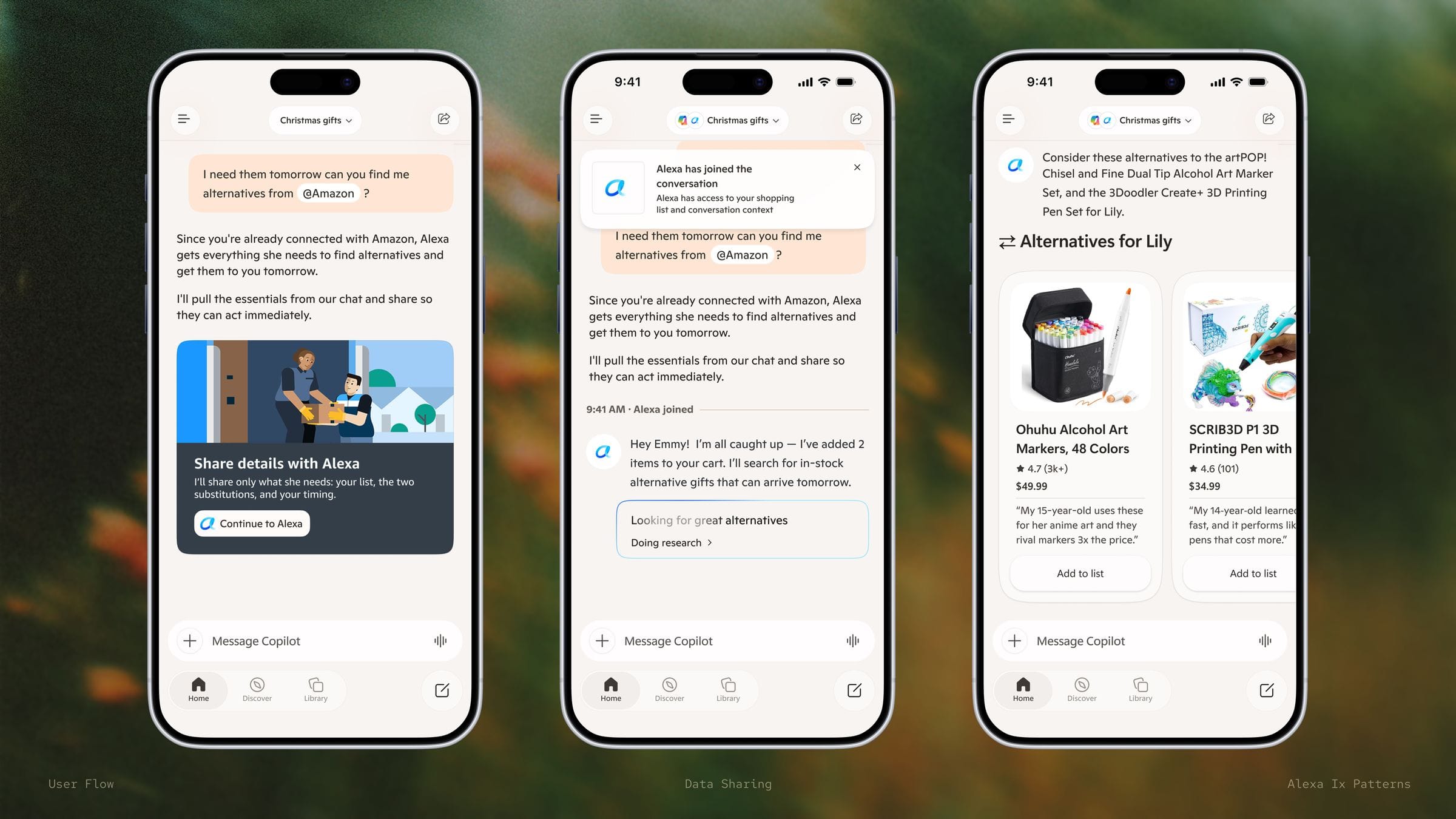
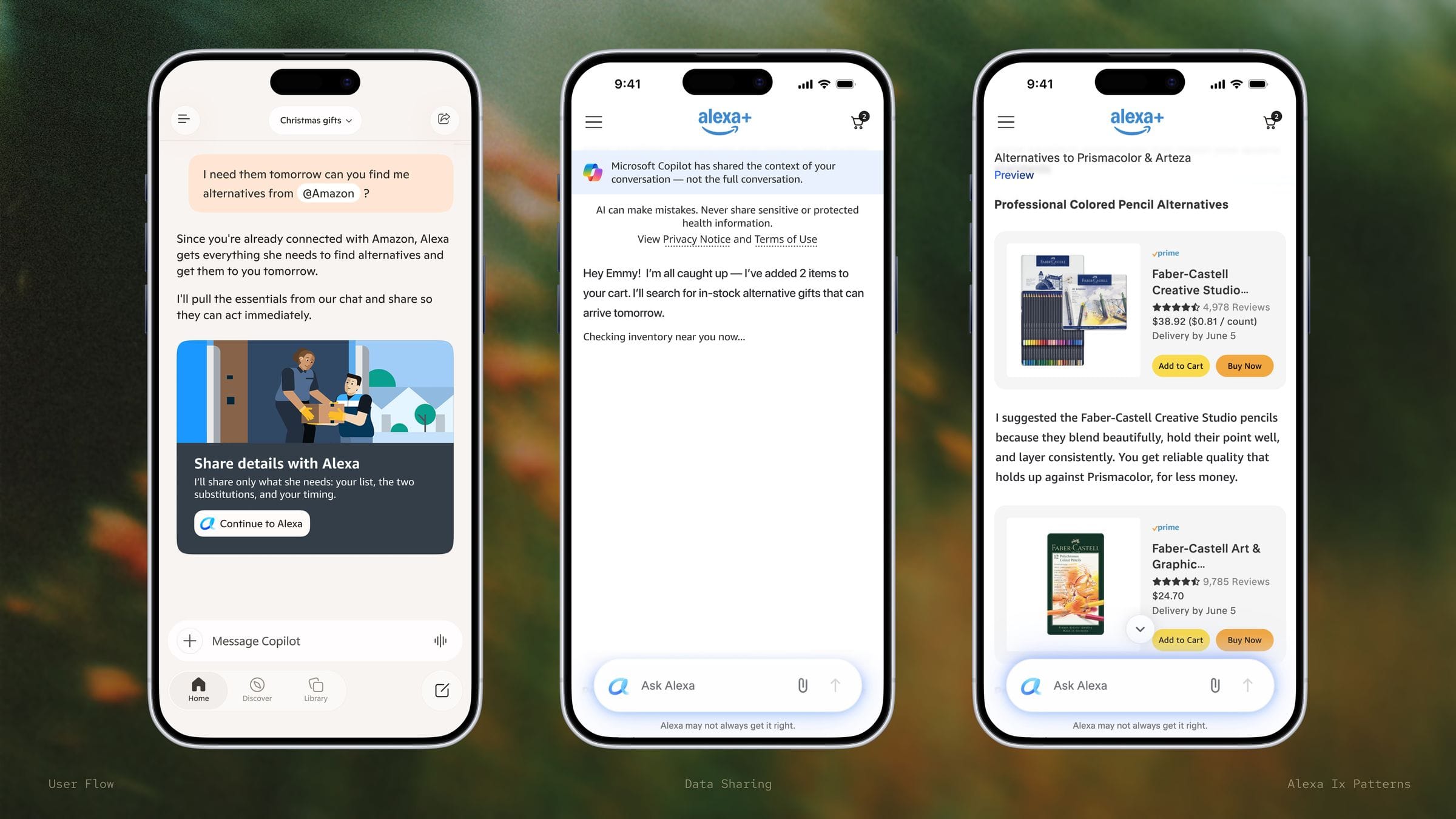
Two distinct Alexa integration patterns were explored. The first: users could @mention Alexa directly into a Copilot group chat, similar to inviting another person into a conversation. This same @mention pattern was explored as a general mechanism for bringing other partners into a Copilot chat.
The second: a full handoff to Alexa, but unlike the Walmart/Sparky handoff, Copilot stayed present in the conversation rather than exiting. What context should transfer to Alexa (vs. staying in Copilot) was an open question planned for a dedicated user research study.
Grocery & Recipe Flow
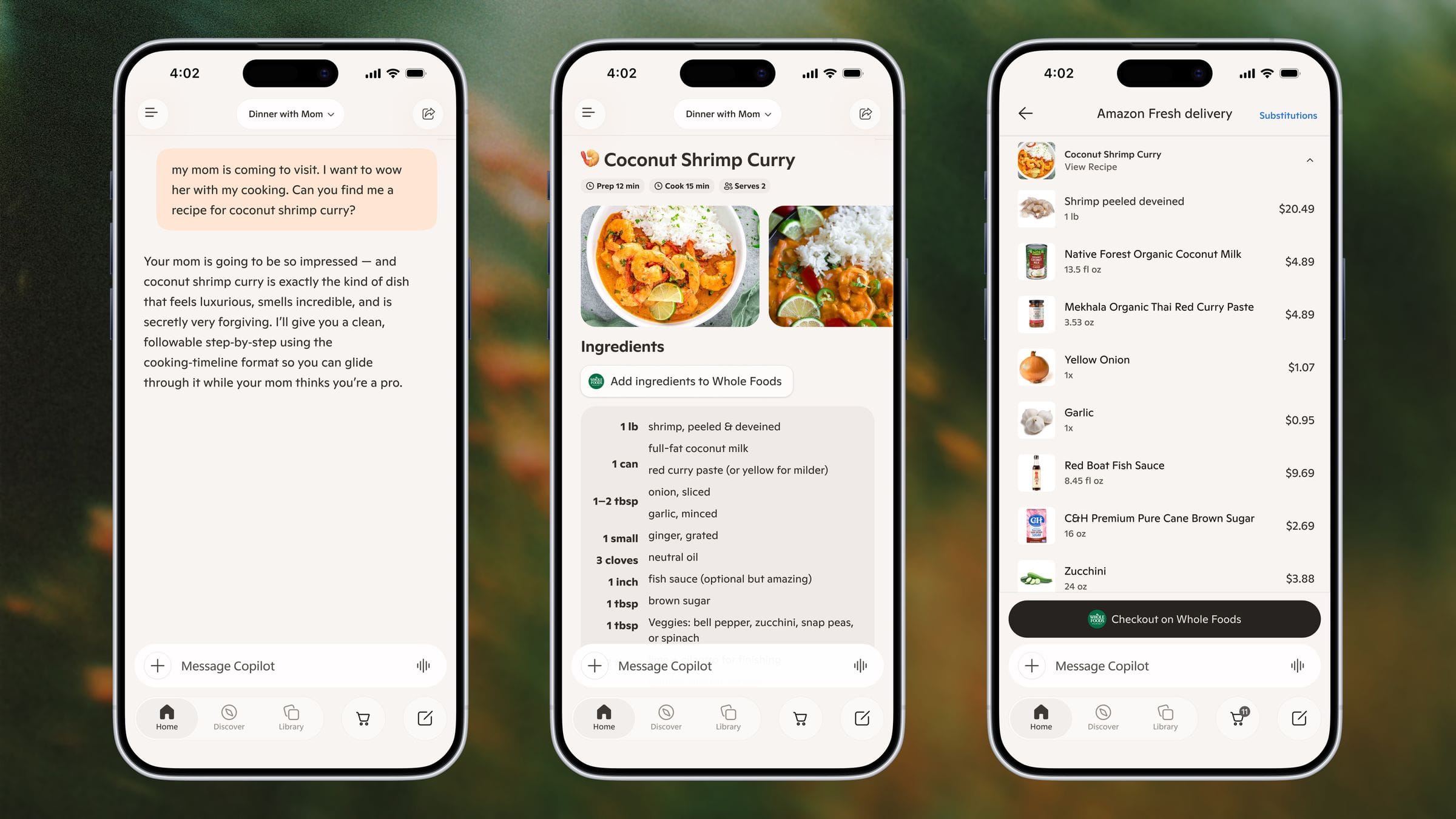
The user finds a recipe and can add its ingredients to a persistent, multi-merchant cart inside Copilot with one click. The cart holds items across sessions, and the user completes checkout on Whole Foods. Editing and substituting ingredients happened inline in Copilot chat, and Copilot could proactively suggest side dishes that paired well with the original recipe.
Camping Trip: Reasoning as Value
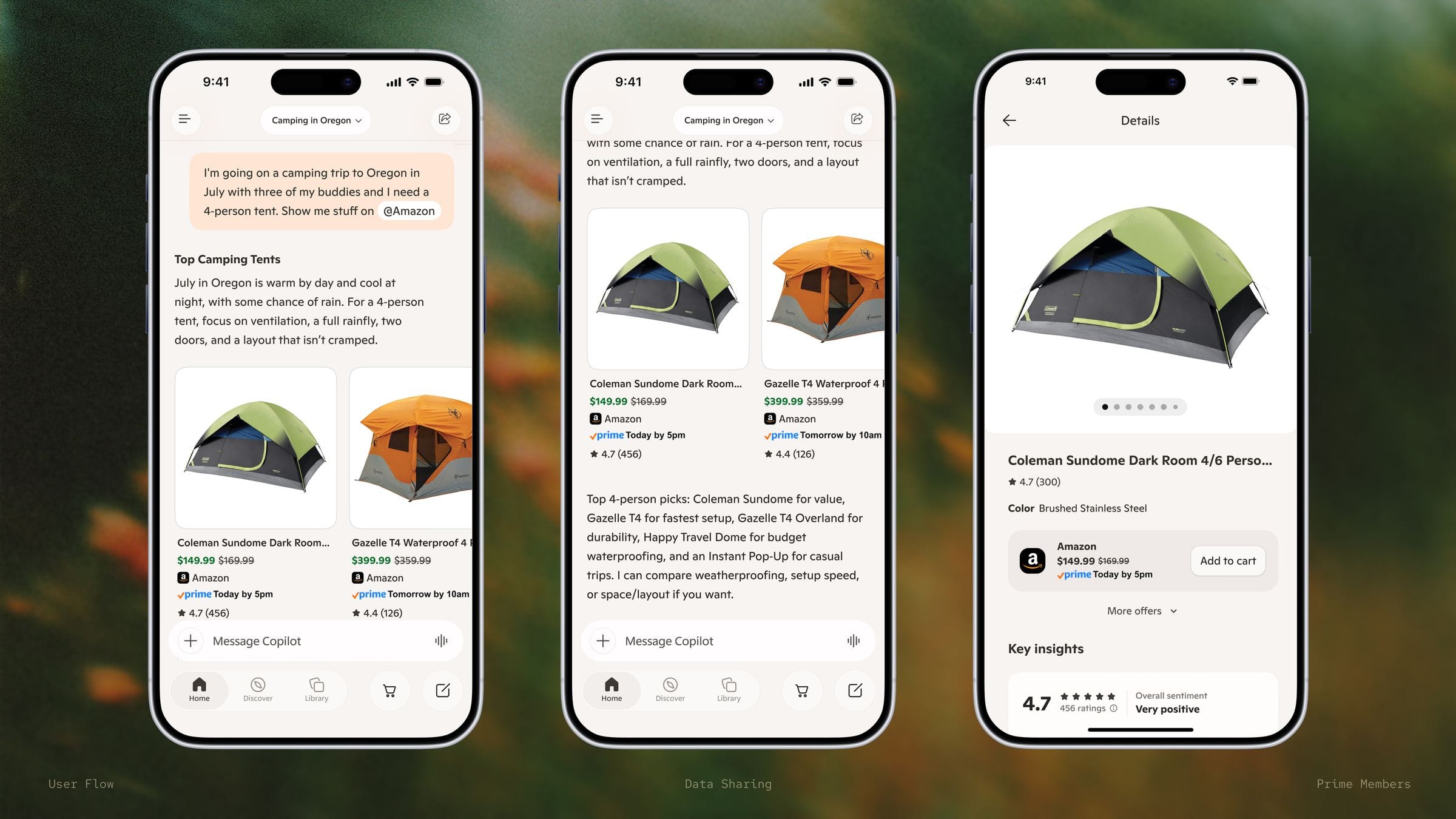
A research and recommendation-driven flow rather than a handoff: the user asks Copilot to find the right tent for a camping trip in Oregon in July. Copilot reasons through the relevant conditions, warm days, cool nights, chance of rain, and surfaces requirements before recommending specific Amazon products. This flow demonstrated Copilot's own reasoning as the primary value, with Amazon supplying the products and, in a deeper partnership, surfacing extra discounts or info to give Amazon an edge over other merchants.
Journeys: Signal Passing
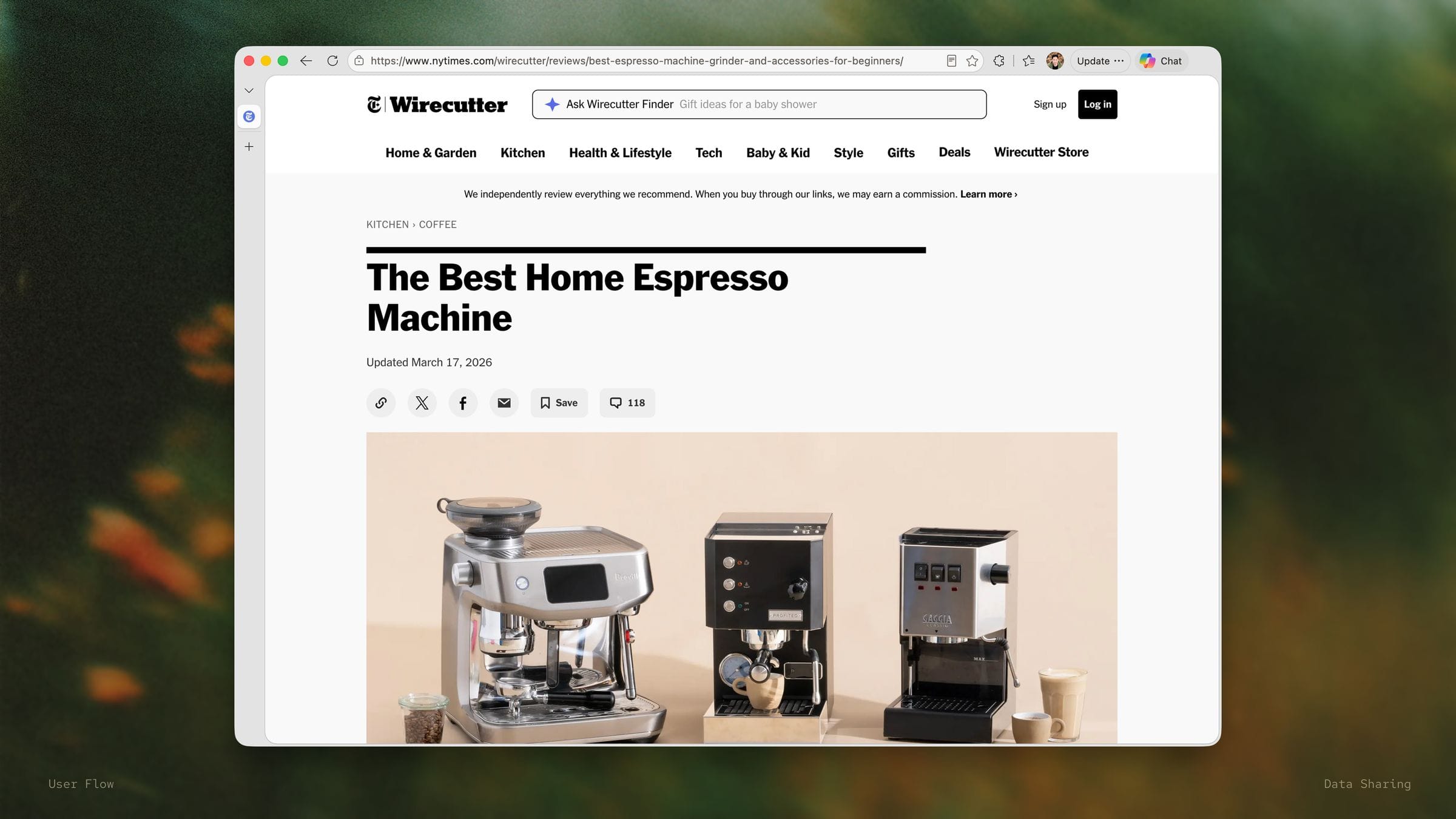
A first-party (Microsoft-to-Microsoft) signal flow: a user searches for espresso machines in Edge, and that signal is passed to Copilot. Later, Copilot's shopping homepage surfaces a Journey card with relevant espresso/coffee content, with Amazon supplying the actual product data shown in the card. I designed the Journey card itself and the surrounding flow.
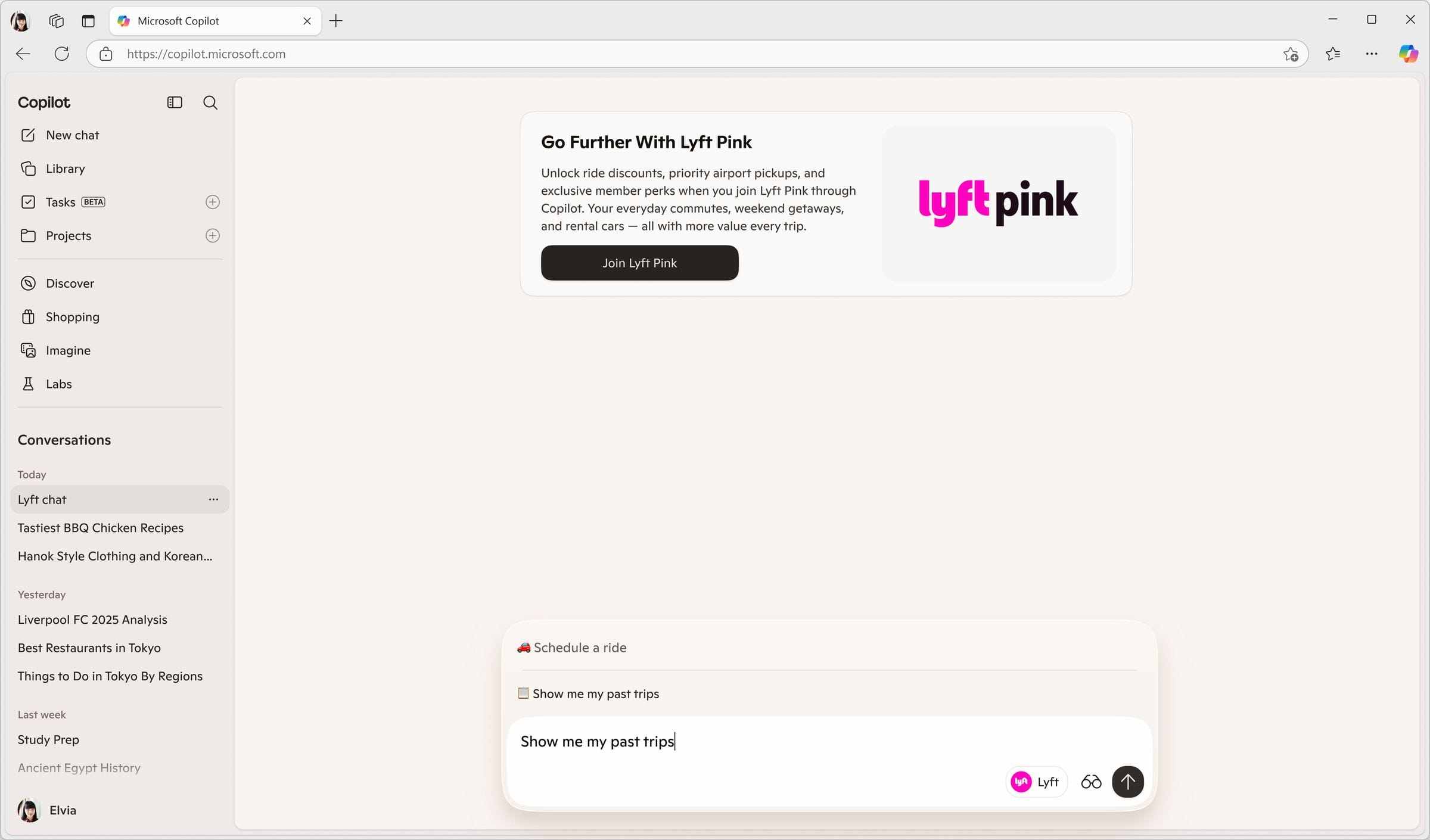

Lyft
Moving beyond simple "book me a ride", toward flows where Copilot adds genuine planning and decision-making value.
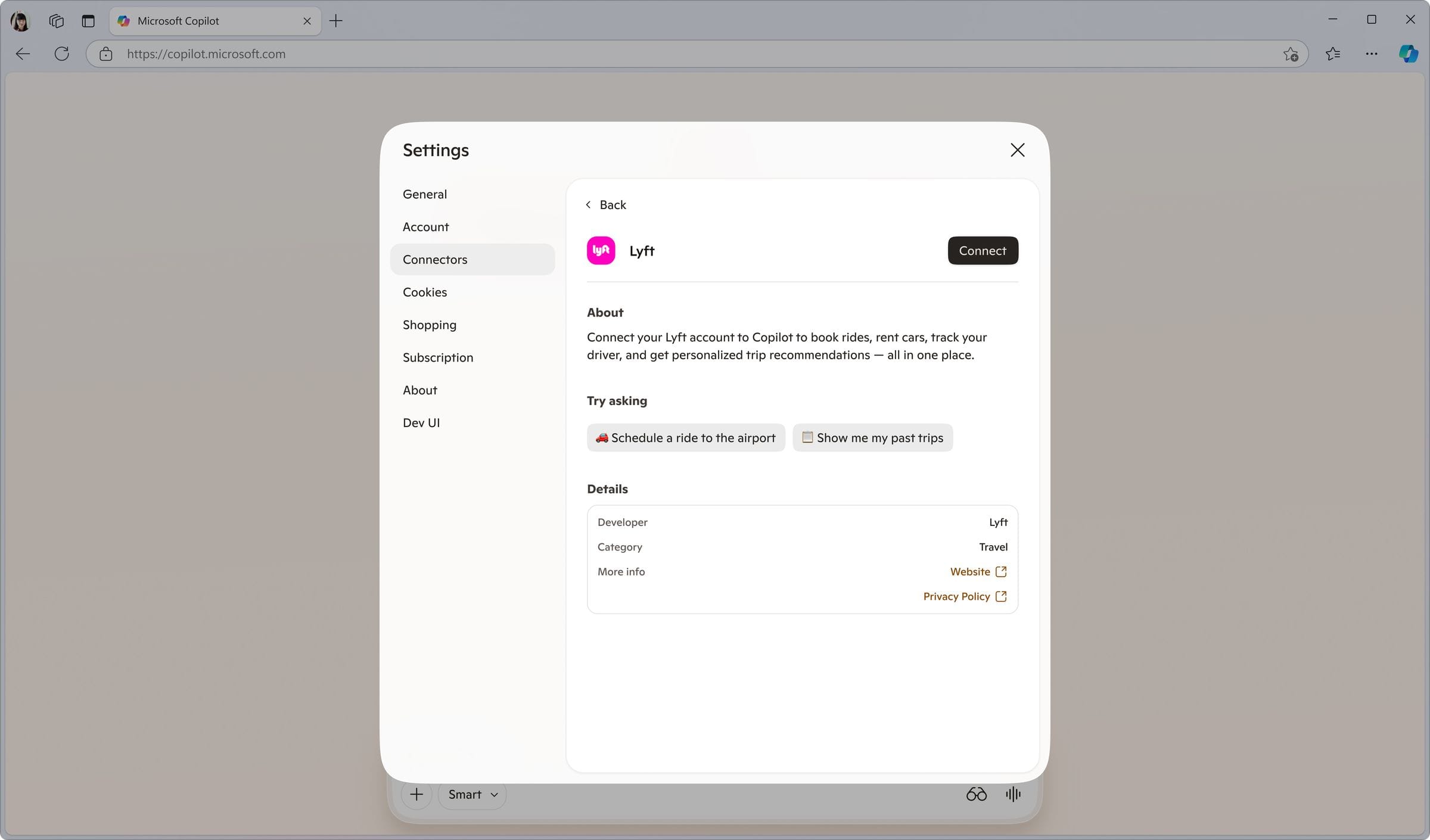
Connecting Lyft
The connection setup established Lyft as a trusted Copilot service, enabling saved preferences, upcoming trip scheduling, and rate lock-in. Both the connection page and the post-connection confirmation were designed to feel native to Copilot rather than a redirect.
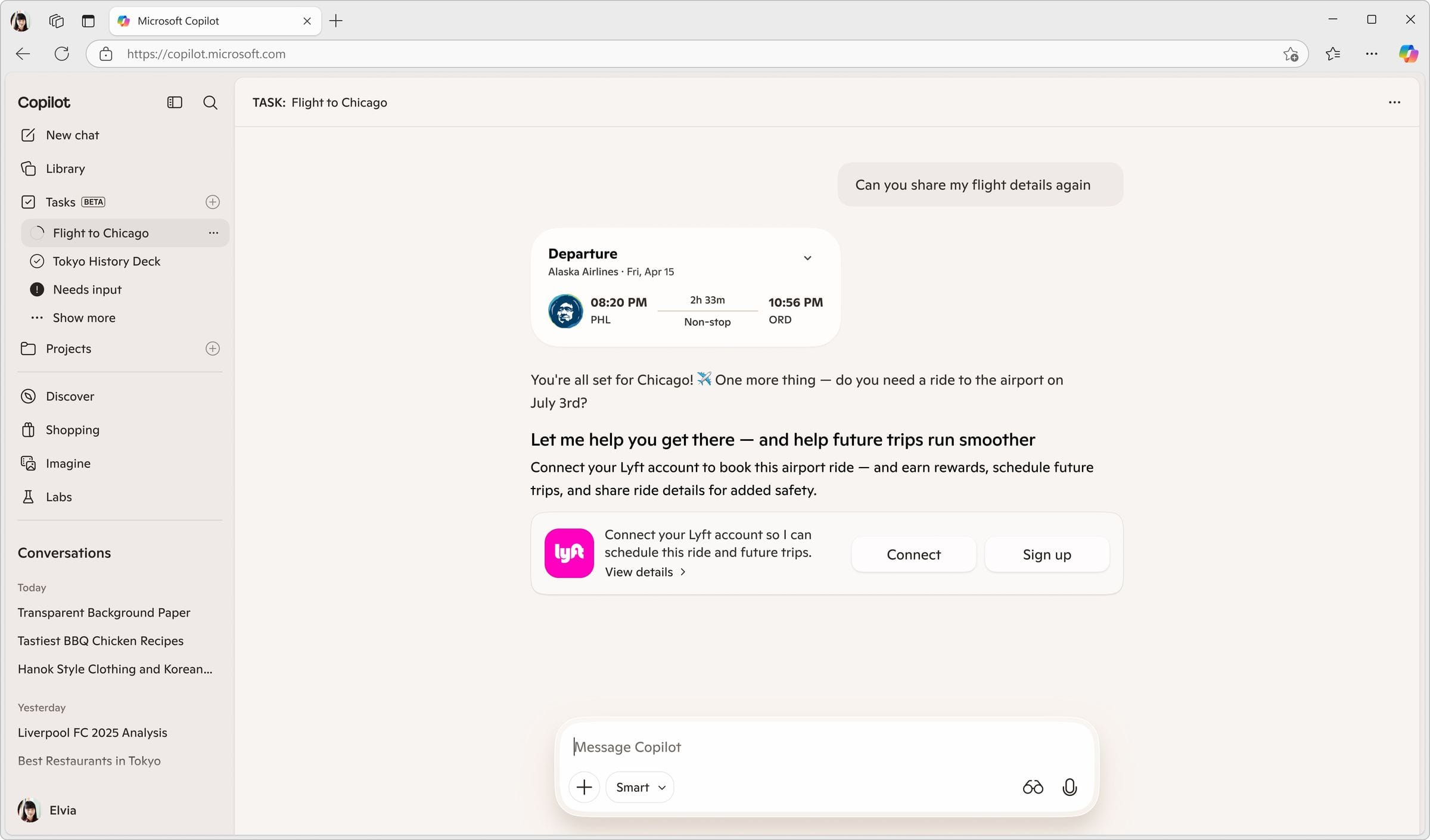
Scheduled Trip Flow
For an upcoming trip, Copilot could propose and schedule rides across the full itinerary, with notifications and easy editing. This flow connected to the user's calendar (also a Copilot connector), allowing trip context to inform ride scheduling automatically. Beyond pre-booking, the team discussed a rate lock-in opportunity, negotiating a deal with Lyft so Copilot could offer users locked-in cheaper rates.
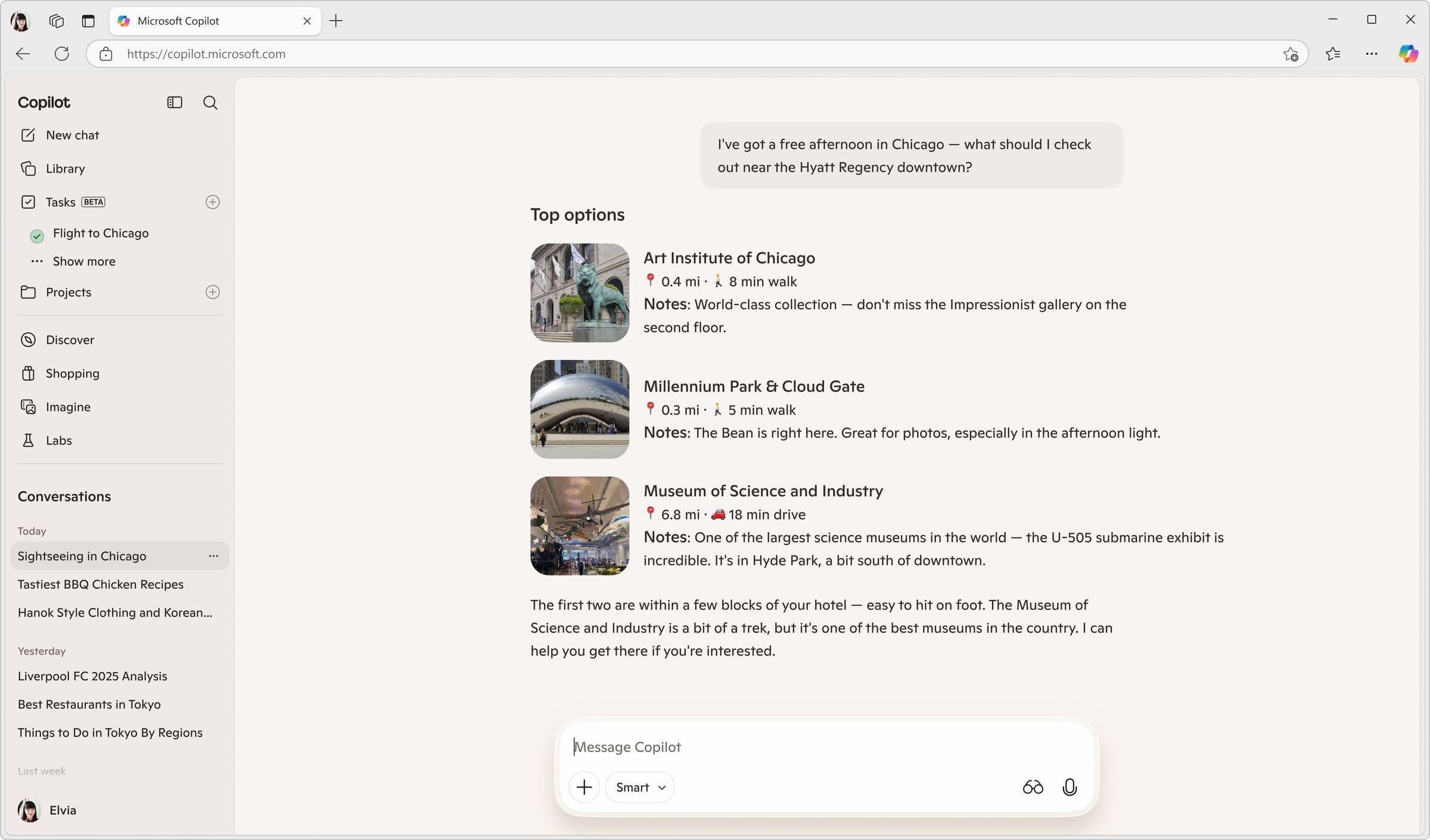
In-the-Moment Flow
When a user asks about things to do in a new city, Copilot attaches all relevant transportation options in the same chat, Lyft, Uber, taxi, and local transit, with rates and a recommendation, letting the user book directly from that comparison.
The competitive tension: because Lyft and Uber directly compete, comparing them side-by-side is best for the user but potentially unwelcome for the partner shown less favorably. Both versions were explored, a Lyft-only pitch version, and a version showing Lyft alongside other modes, with internal discussion continuing on what's best for the merchant relationship.
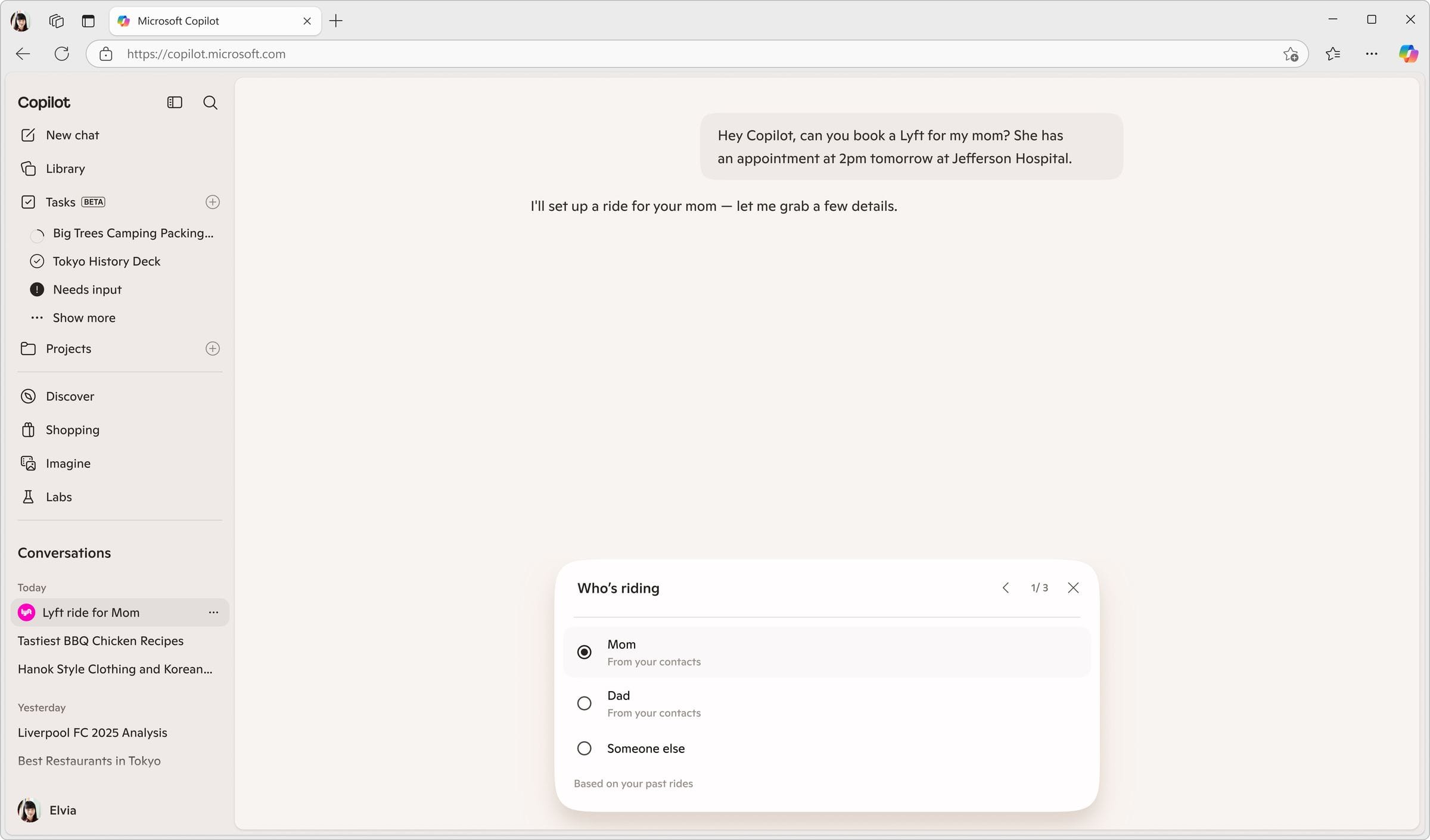
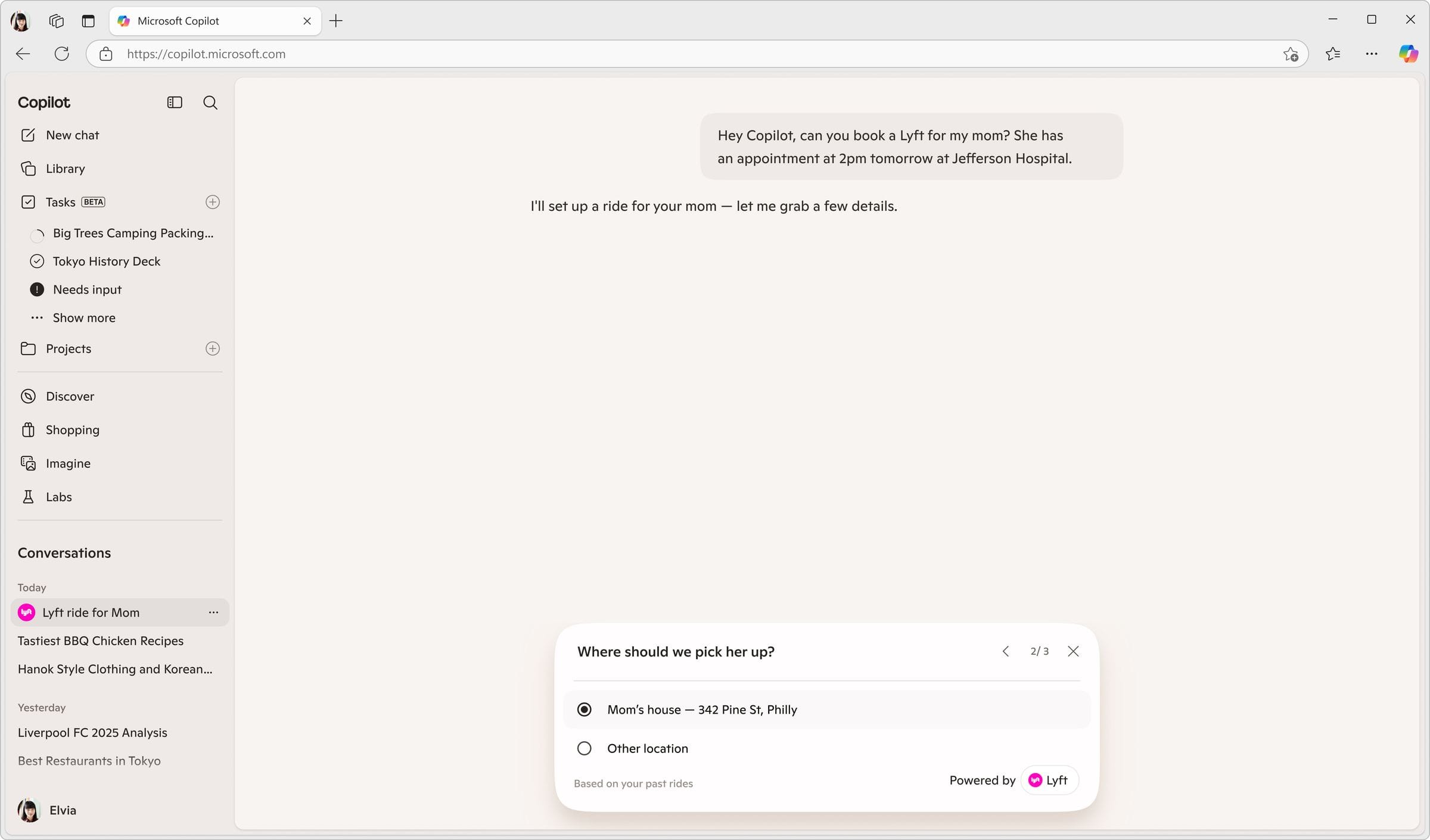
Book for a Family Member
Demonstrated saved/reusable information in Copilot: a user could ask Copilot to book a ride for their mom, and Copilot would recall her name and address from prior use. Payment still required manual confirmation each time, it was not auto-filled. This flow was meant to show how Copilot could progressively reduce friction by remembering details across everyday tasks.

DoorDash
The broadest set of scenarios, spanning a brand-new DoorDash business line (reservations), grocery ordering, group planning, personalization, and order tracking.
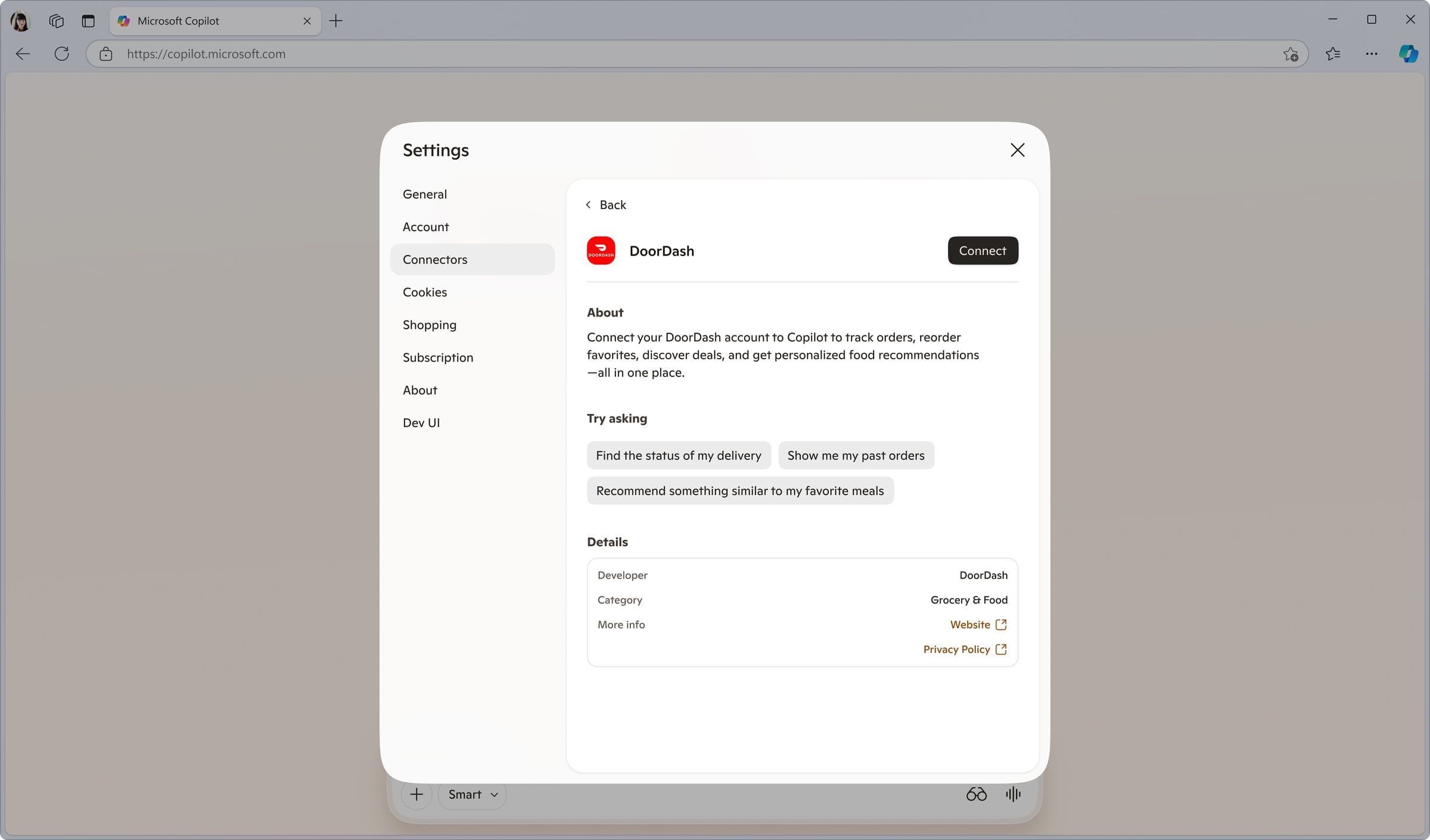
Connecting DoorDash
The connector setup gave users access to DashPass benefits, saved addresses, and order history inside Copilot. Each connector step followed DoorDash's actual brand language rather than a generic template.
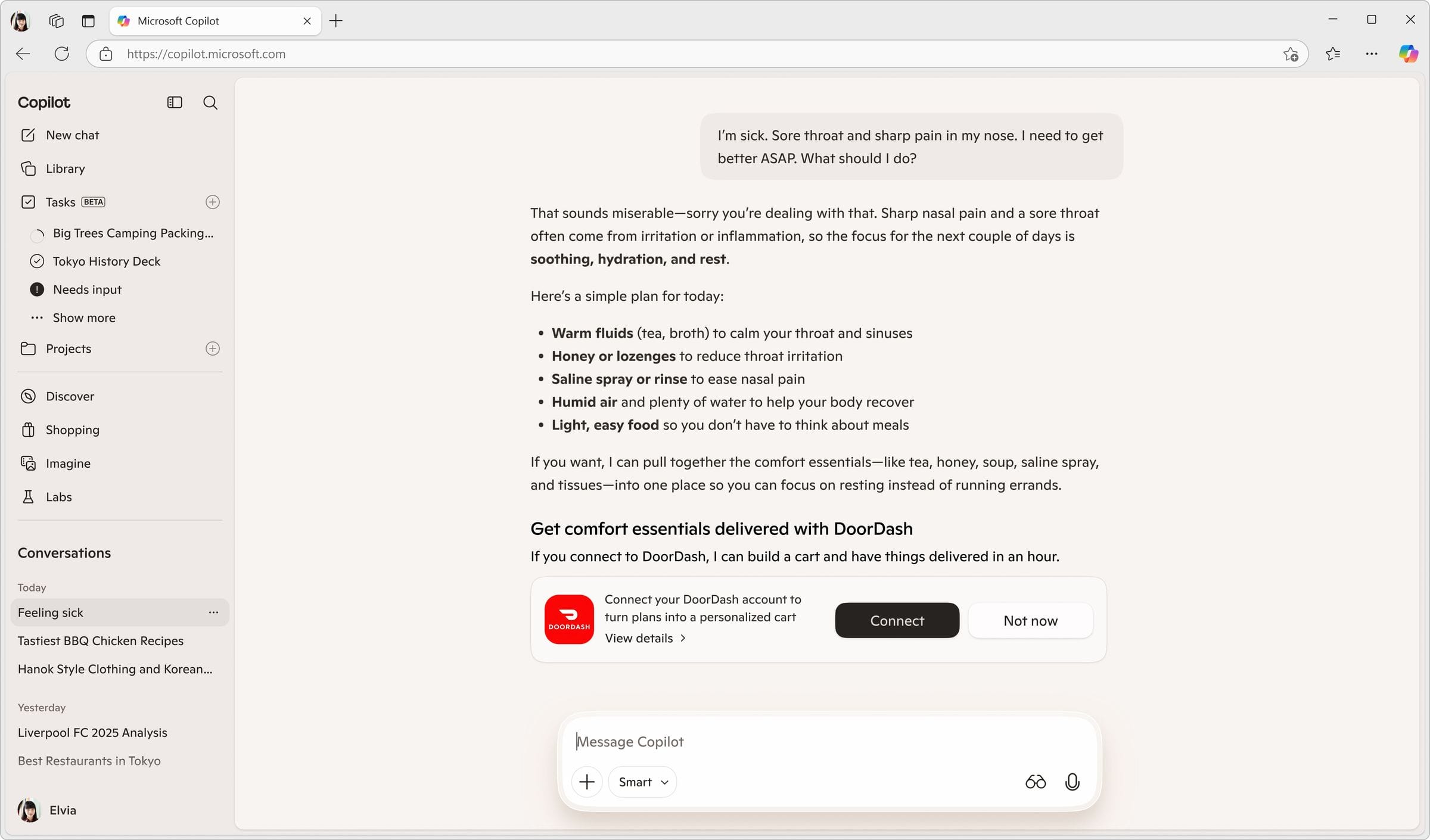
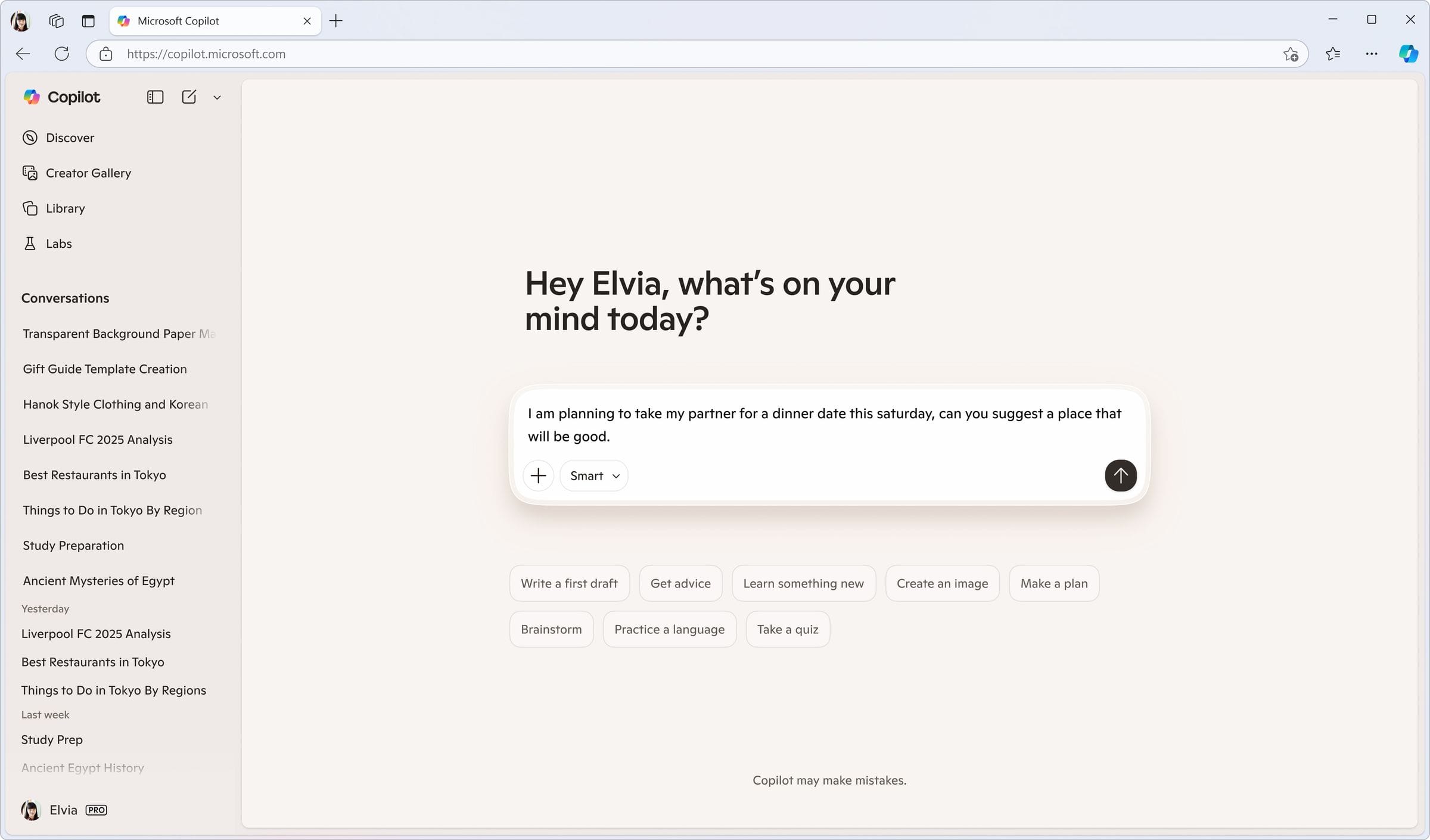
Table Reservations
Since DoorDash now offers table reservations as a new business line, this flow had Copilot open a details pane with a booking table directly inside the conversation to complete the reservation, no redirect, no app switch.
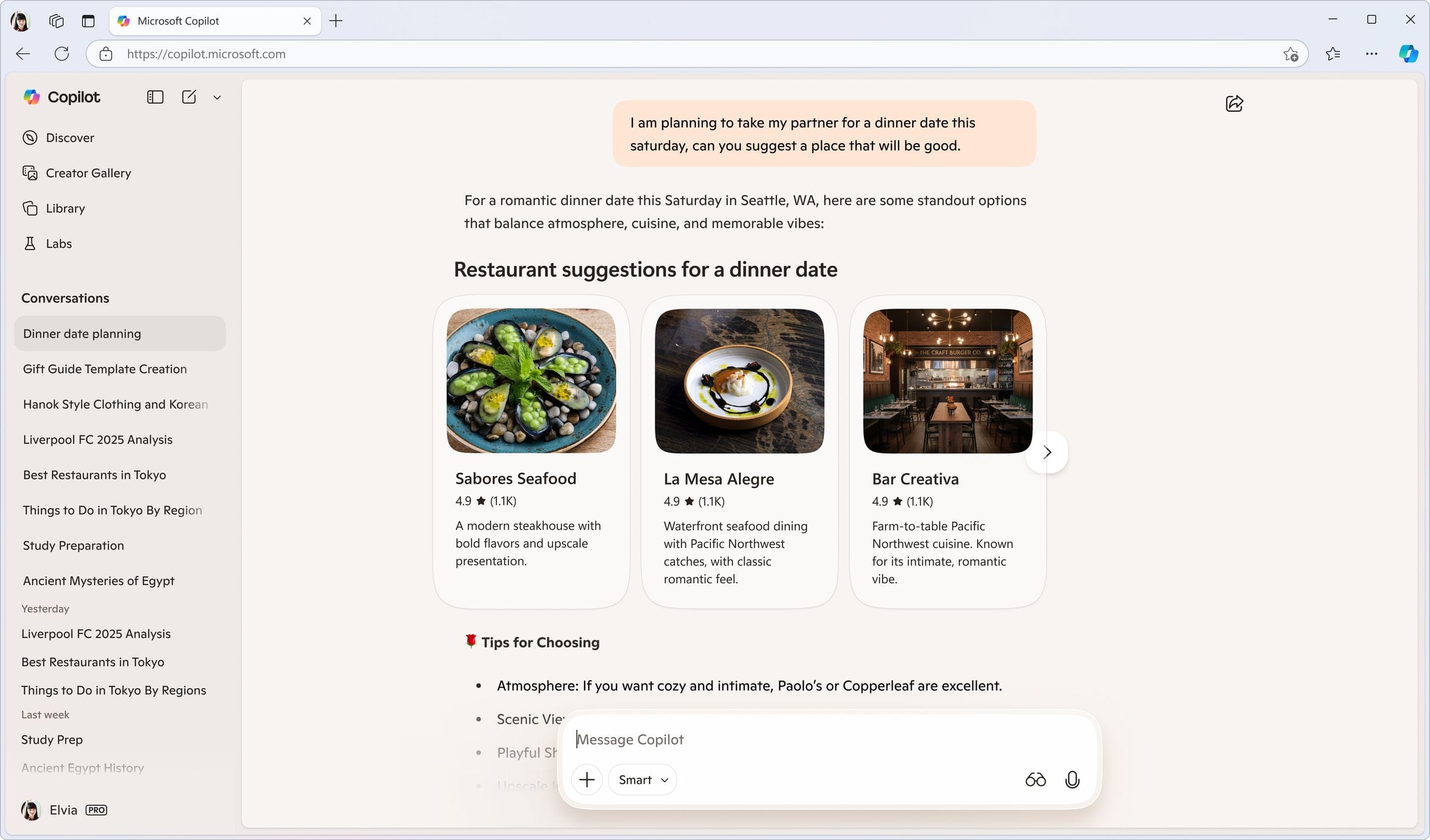
Grocery Ordering
Structurally similar to the Amazon/Whole Foods flow, but designed to reflect DoorDash's own step-by-step merchant questions, delivery address, delivery speed, tipping, substitutions. The team intentionally followed each partner's actual ordering steps rather than using one generic template.
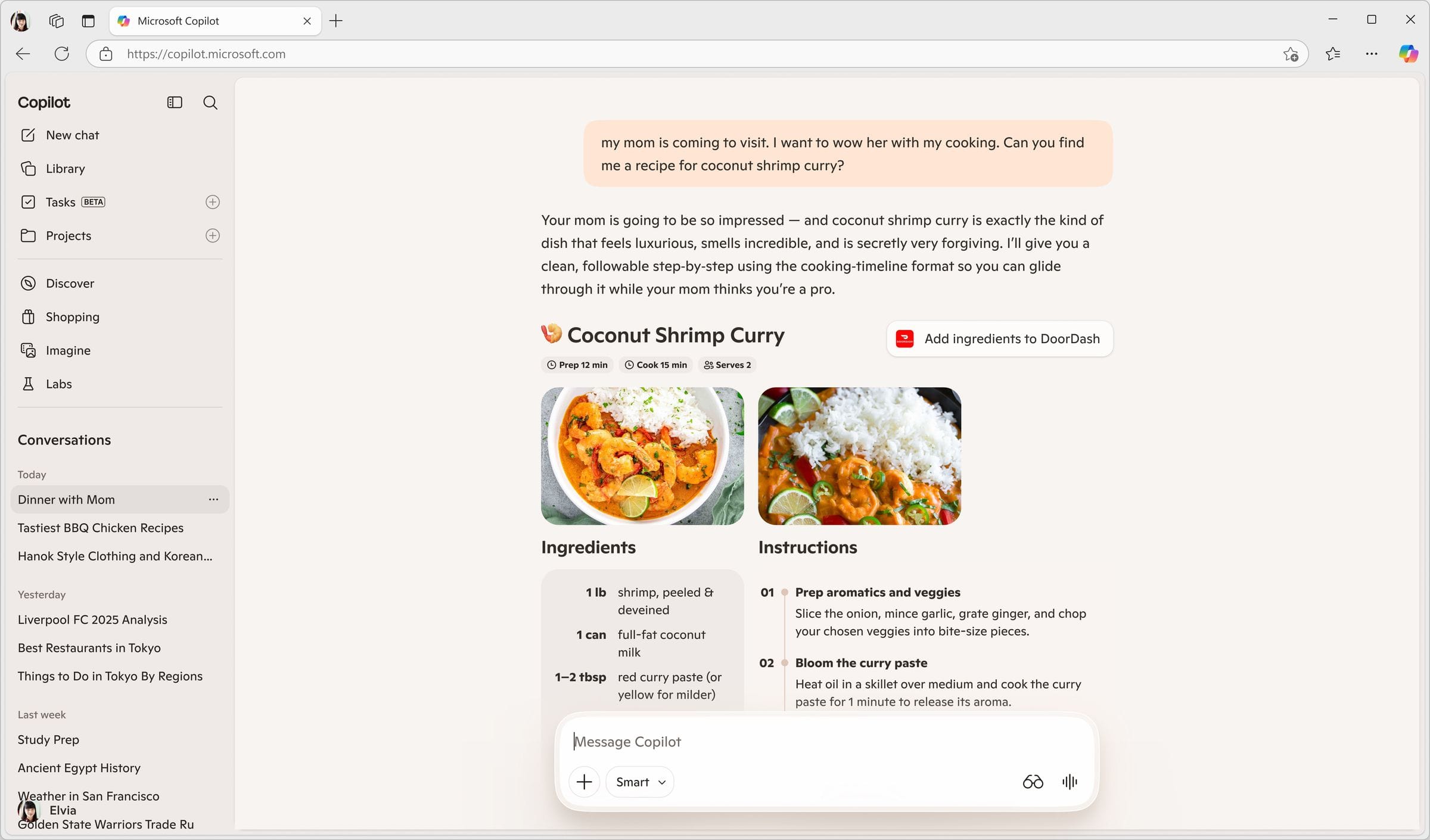
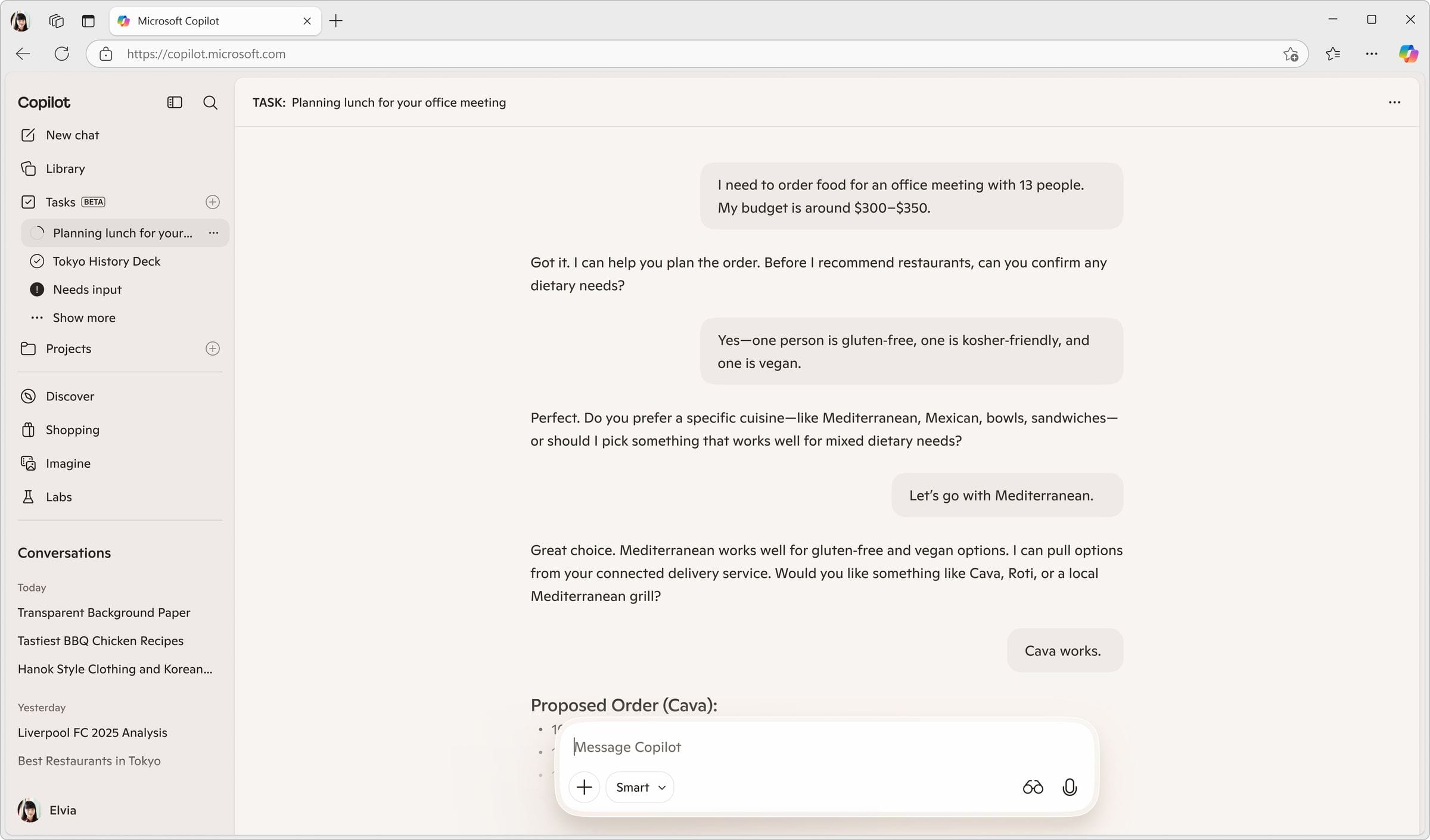
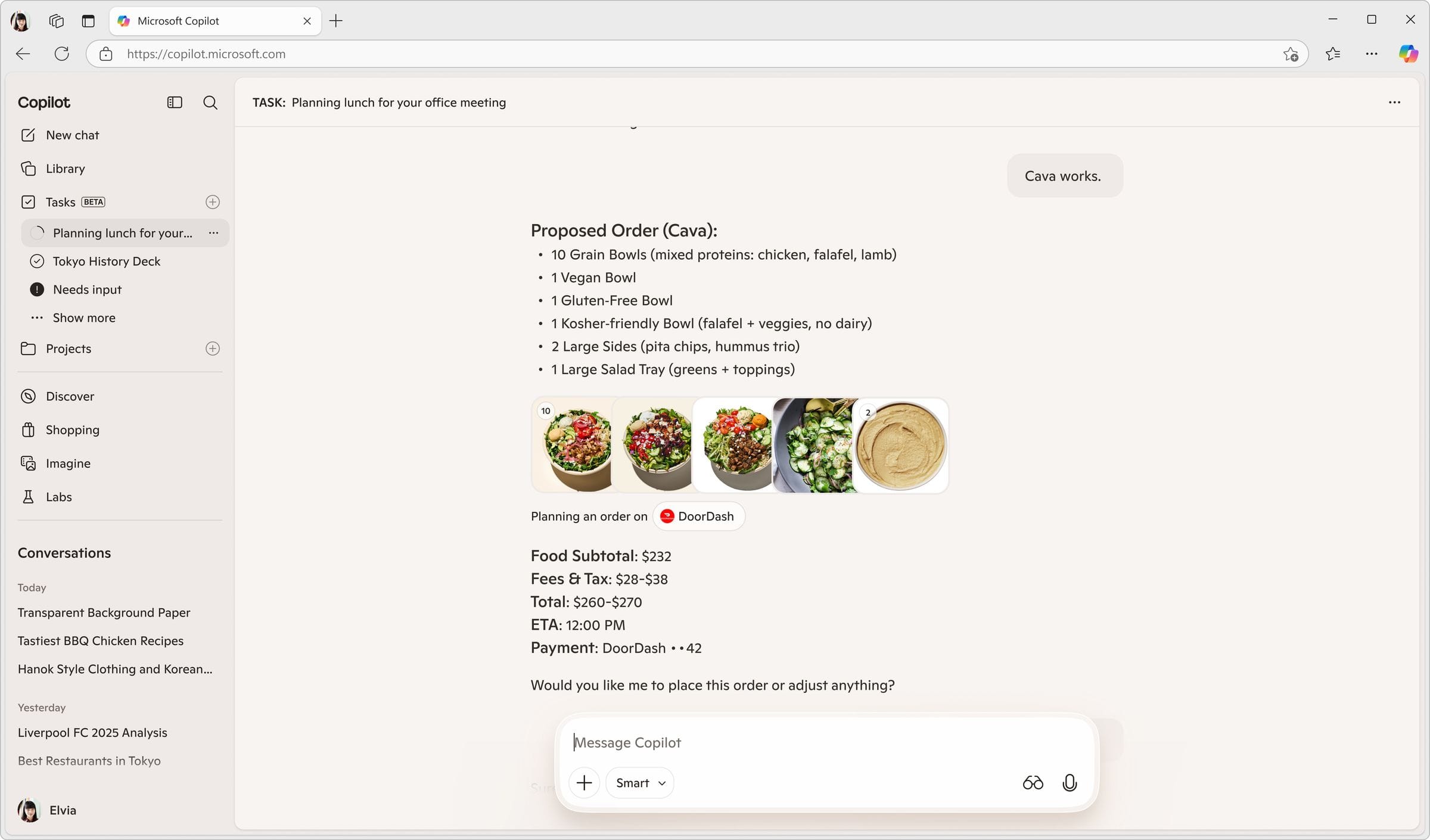
Group Planning
The most complex scenario: planning a group meal that satisfies multiple people's food restrictions and a shared budget. Copilot Tasks automatically sent an email to the group, gathered everyone's responses, and compiled the results, rather than requiring one person to manually collect preferences. Copilot then surfaced one recommended option that best satisfied the group's combined constraints.
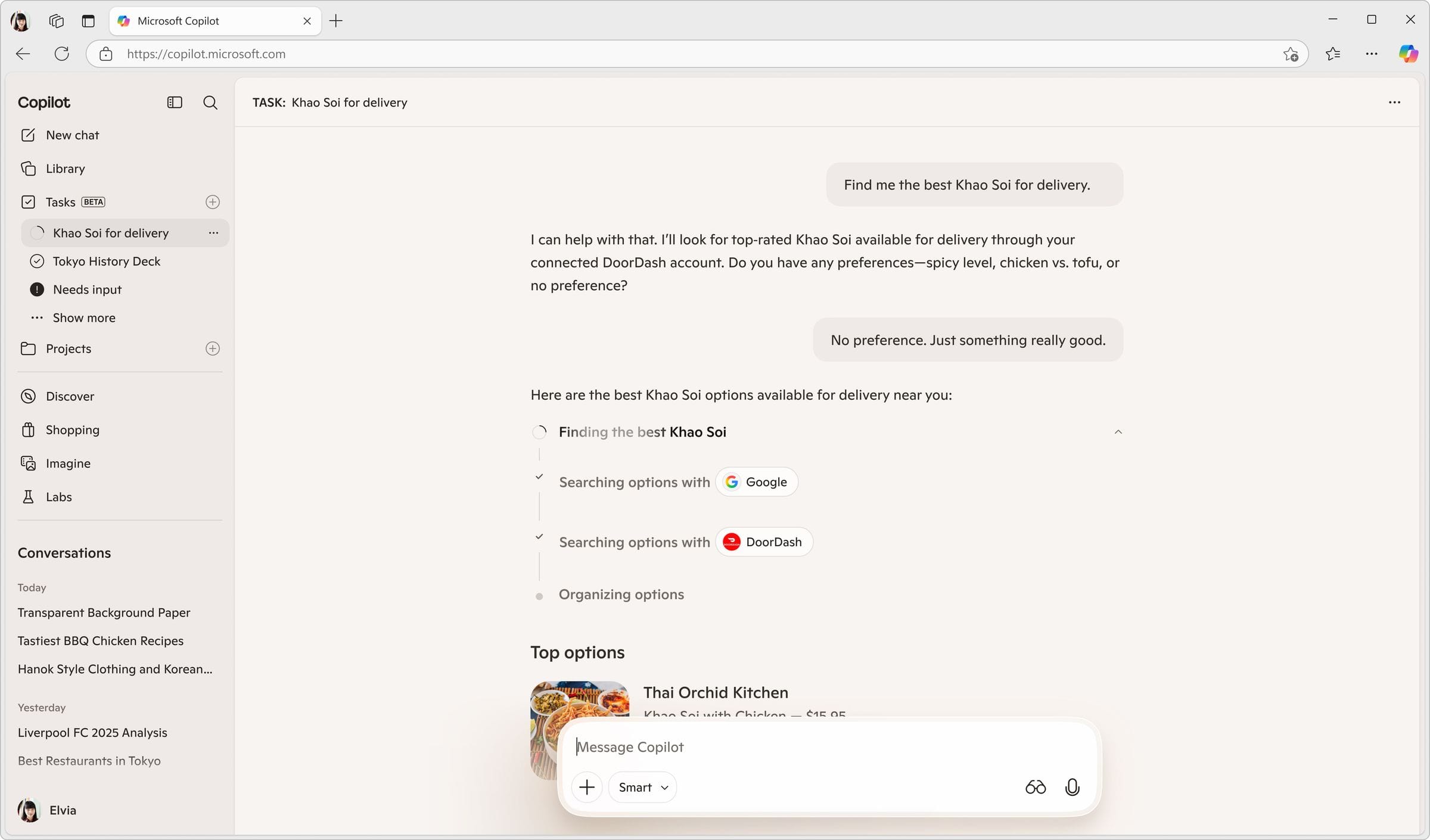
Restaurant Discovery
For a query like "best khao soi for delivery," Copilot surfaced a small set of top recommended restaurant options matching the specific request, demonstrating that AI-mediated discovery could go deeper than a generic search result.
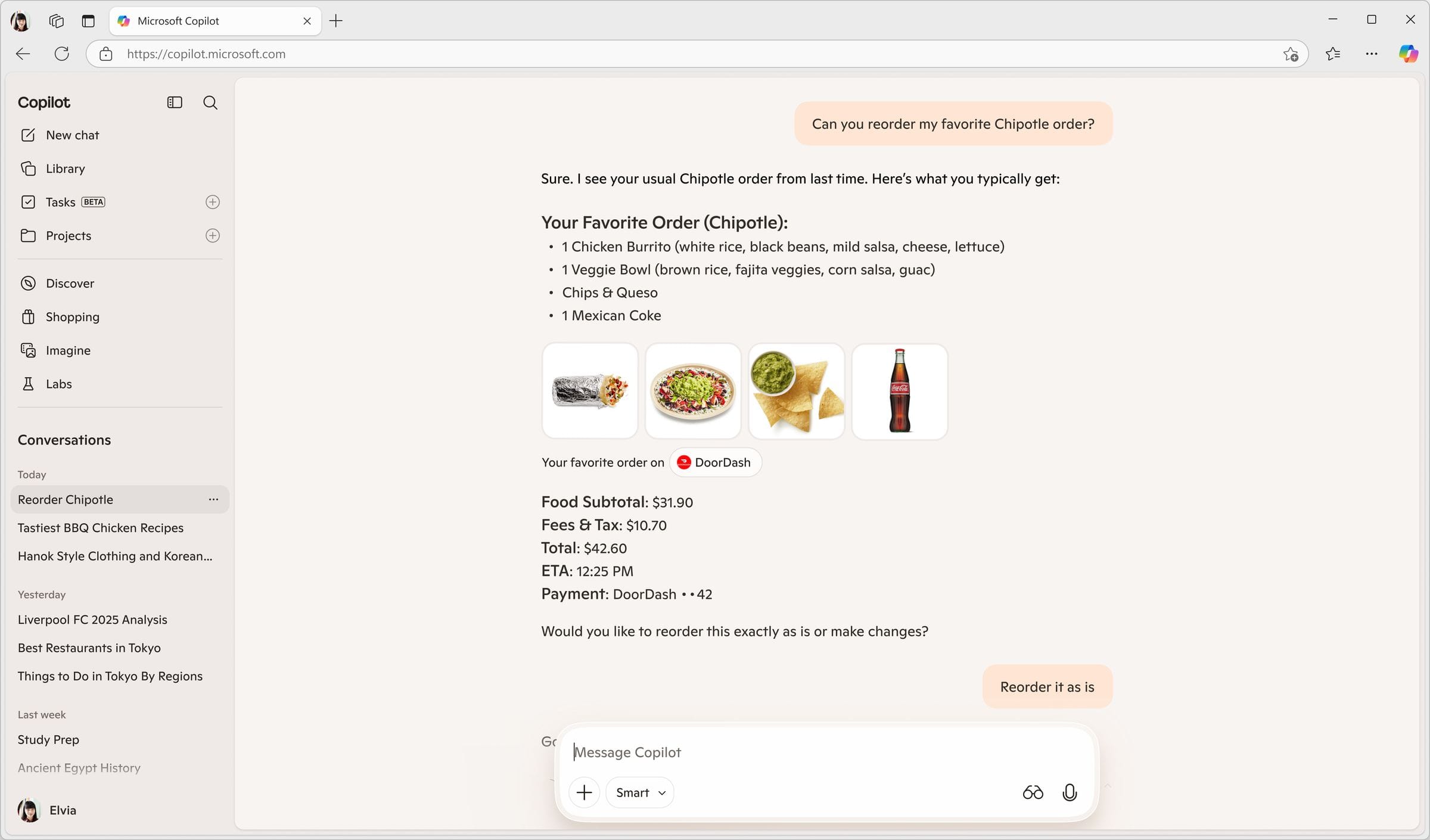
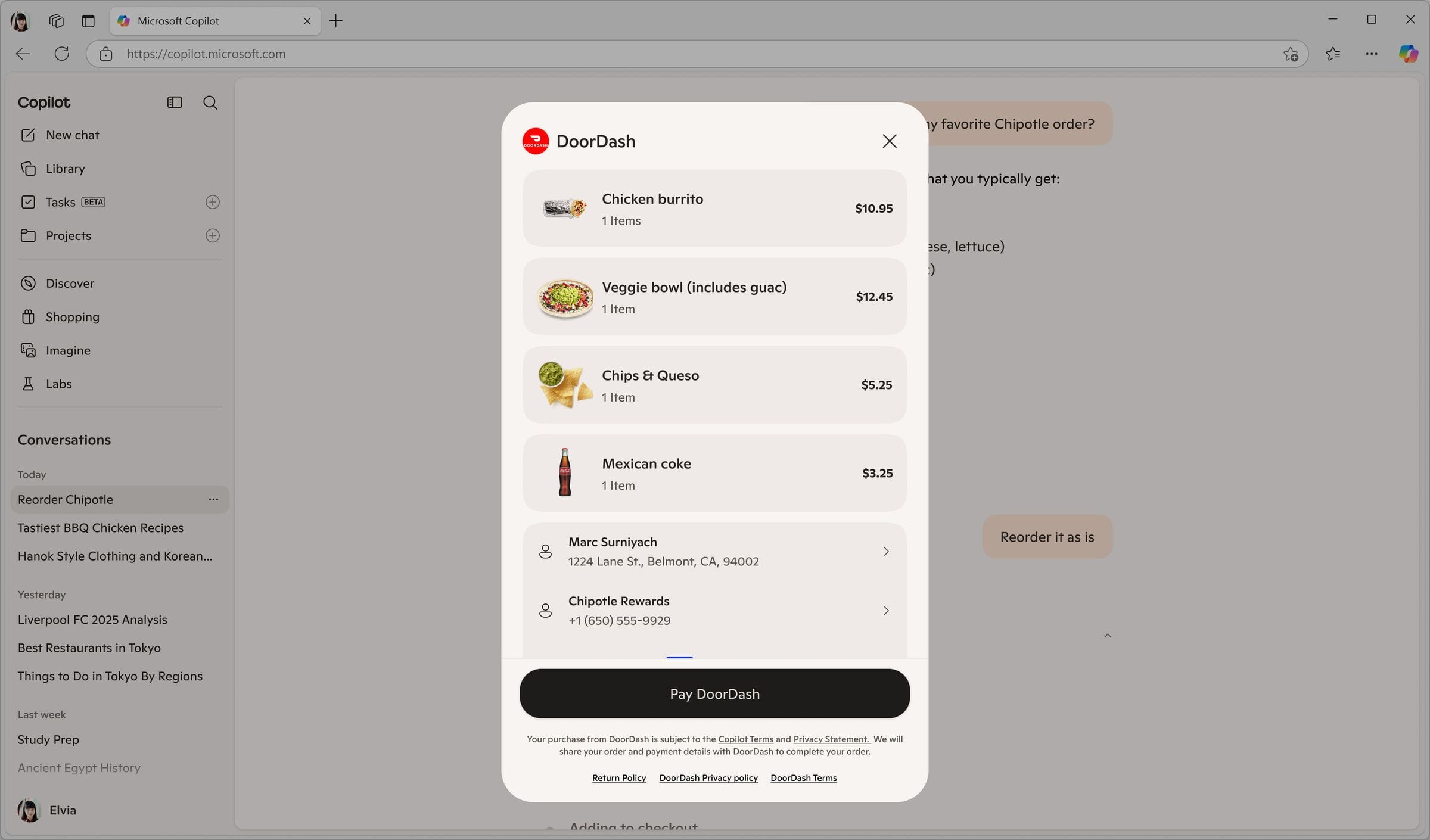
Personalization: Reorder
"Reorder my usual from Chipotle", the user directly asks for their usual order, and Copilot recalls it, showing personalization building up over time through order history.
Order Tracking
Tracking existed both as a persistent status card inside Copilot and via notifications, designed to keep the user informed without requiring them to leave the conversation.
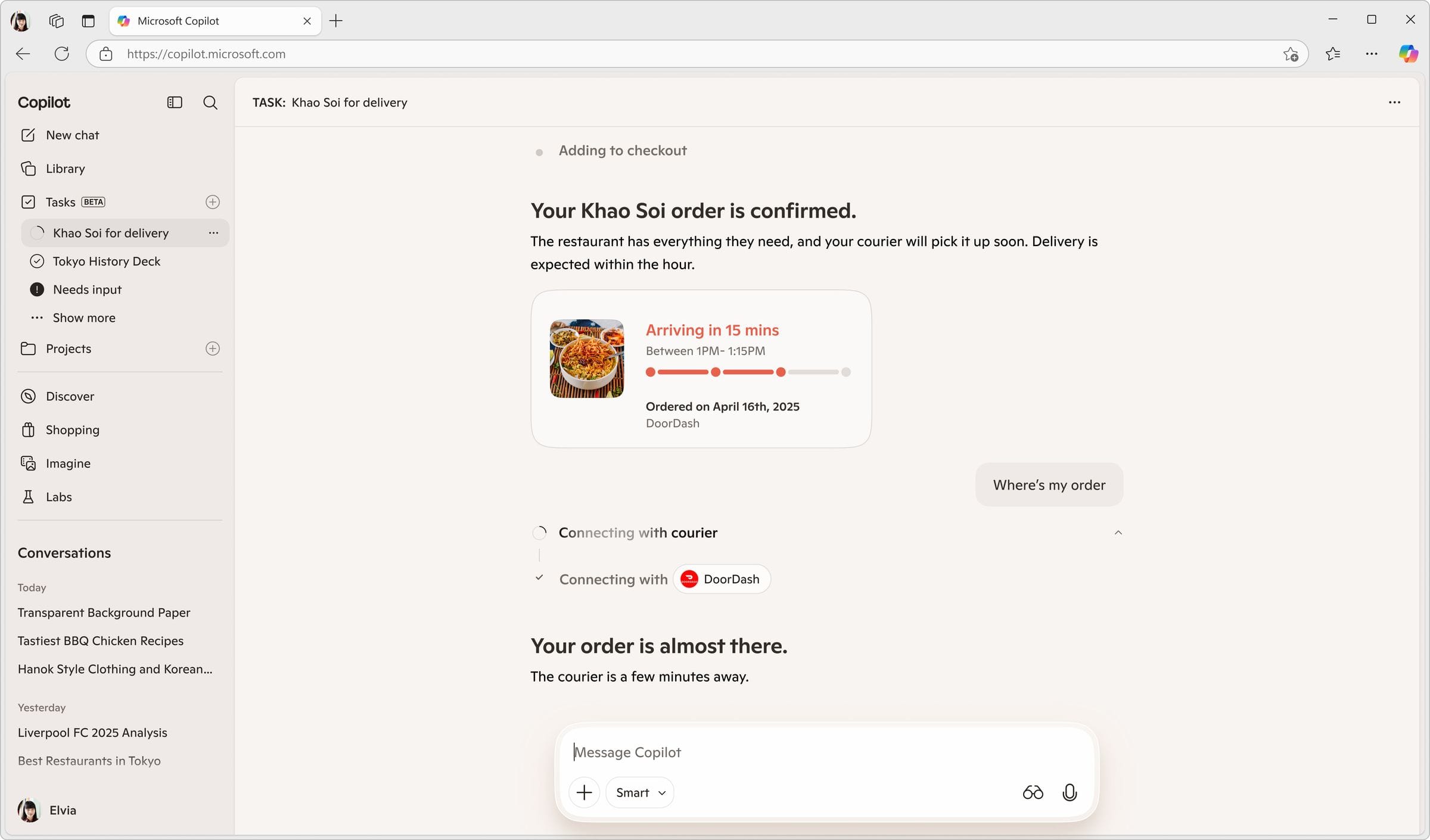
The recurring tension across all four partners: proving unique AI value vs. simply replicating a faster app-open. Every flow was evaluated against that standard, does Copilot add something the partner's own app cannot?
Cross-Cutting ThemesWhat Showed Up Everywhere
Two handoff patterns emerged: full exit (Walmart/Sparky, where Copilot steps back entirely) vs. Copilot staying present (Amazon/Alexa, where the context is shared but Copilot remains in the loop). Both were valid, the open product question is when Copilot should step back vs. remain.
The unsolved "MCP replacement" idea: a persistent, evolving user context object, a "Copilot Shopping" profile, that could carry across partner handoffs, going beyond a single-session payload toward durable context that grows over time.
The competitive-partner problem surfaced with Lyft: designing what's best for the user (showing comparisons) vs. what a single partner wants shown. Both versions were explored; internal discussion was ongoing.
Partnership Status
Only Target and Instacart are official signed partnerships. Walmart, Amazon, Lyft, and DoorDash were all in active conversation with no signed agreement at the time of this work. Amazon separately expressed interest in bringing its content into Bing and Copilot more broadly.
The program continues to grow. Gap has been presented to, Uber is on the roadmap with planned flows spanning groceries, restaurant delivery, car rental, and ridesharing, and the team is continuing to build out partnerships and loyalty rewards across the Copilot ecosystem.
My projects
Microsoft
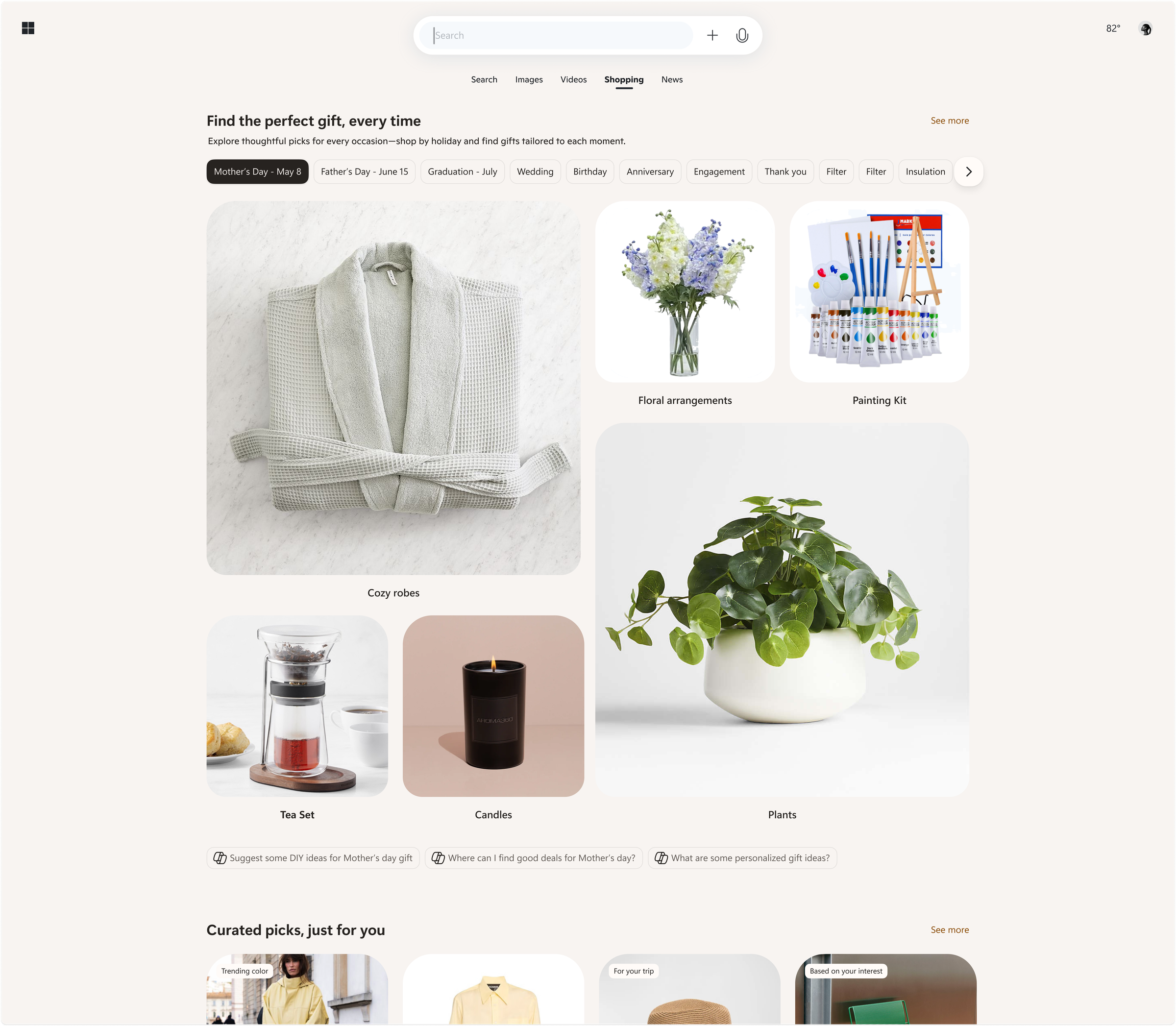
Shopping ecosystem across Bing, Copilot, Windows, Outlook

Seagate
Licensed gaming launches and cloud storage communication

Varfaj Partners
UX/UI, branding, and art direction across an agency roster
Giga
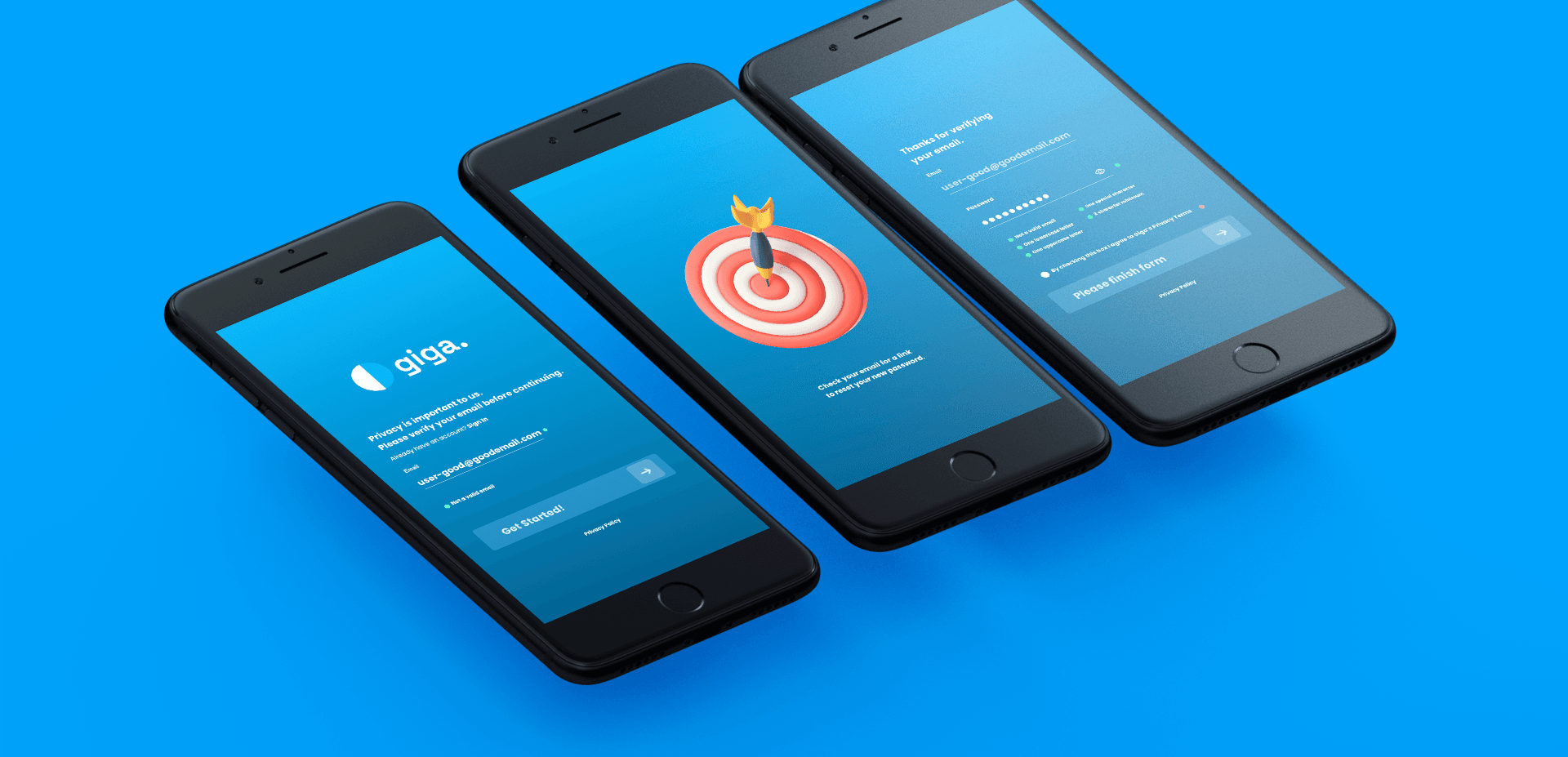
Full web app design for an evolving AI-native platform
Piton
Voice-first iOS workout app for an early-stage startup

Outsource
Brand systems and digital experiences across four businesses